Best No-Code Tools to Automate Android Apps [ 2026 100% free ]
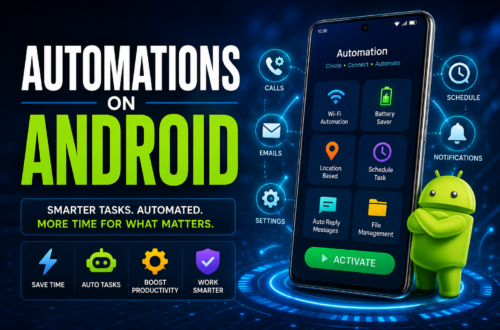
In 2026, technology is all about doing more with less effort. Every single day, we swipe, tap, and toggle through dozens of mobile applications to perform routine tasks. Whether it’s toggling system settings when you arrive at work, syncing photos to the cloud, organizing field data, or building custom mobile utilities for a small business, repetitive digital chores consume hours of precious time.
Fortunately, you no longer need a degree in computer science or experience writing Java and Kotlin to transform your phone into a self-operating engine. The surge of visual editors, block-based workflow tools, and open-source platforms has made app automation accessible to everyone. In this article, we dive deep into the Best No-Code Tools to Automate Android Apps [ 2026 100% free ], helping you streamline your daily digital life, optimize system tasks, and build functional mobile workflows without writing a single line of code.
Why No-Code Android Automation Matters in 2026
Mobile operating systems have evolved significantly, but Android remains the undisputed leader in flexibility. Thanks to its open architecture and permissions system, no-code automation platforms can interact directly with your device’s hardware, sensors, notifications, and installed applications.
There are two primary ways users tap into no-code automation today:
On-Device Workflow Automation: Running automated macros, taps, and triggers directly on your phone to handle system settings, notification batching, and app actions.
Visual App Builders & Web Integrations: Creating custom mobile interfaces or multi-app workflows that connect your phone to web services, cloud databases, and APIs using visual drag-and-drop builders.
Finding the best no code tools to automate android apps in 2026 free means looking for tools that offer robust free-tier functionality, easy-to-understand visual logic, and minimal performance impact on your battery life.
More information
Best No-Code Tools to Automate Android Apps [ 2026 100% free ]
Whether you want to build simple “if-this-then-that” rules on your device, build a standalone utility app, or deploy open-source scripts from community repositories, here are the top free no-code platforms to consider.
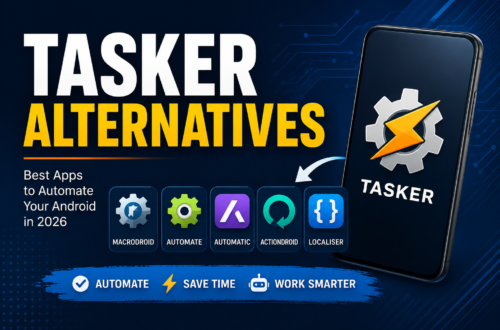
1. MacroDroid
If you want to automate system actions on your phone without navigating a steep learning curve, MacroDroid is one of the easiest tools to adopt. It relies on a simple tri-part logic structure: Triggers, Actions, and Constraints.
For instance, you can set a Trigger (entering a specific GPS geofence), an Action (turn on Wi-Fi and send a text message), and a Constraint (only between 9:00 AM and 5:00 PM).
Why It’s Great: Includes over 100 pre-built triggers and actions, color-coded menus, and a massive community template store.
Free Version Features: The free tier allows you to create up to 5 fully functional, active macros—plenty for basic daily routines.
Best Use Case: Toggling Wi-Fi/Bluetooth, managing battery profiles, auto-replying to SMS messages, and launching specific apps under custom conditions.
2. Automate by LlamaLab
For visual thinkers who prefer building flowcharts over selecting menu lists, Automate by LlamaLab provides a powerful canvas interface. You create automated tasks by dragging logic blocks—such as decision nodes, event listeners, and action triggers—onto a grid and connecting them with directional lines.
Automate stands out as a prime candidate when looking for the best automation app for Android because its free version allows you to build flowcharts with up to 30 blocks per flow, offering incredible logic depth without charging a dime.
Why It’s Great: Visual flowchart model makes complex conditional branching (e.g., if/else statement chains) easy to audit and edit.
Free Version Features: Near-complete access to all system blocks and features up to the 30-block limits per flow.
Best Use Case: Advanced device scripting, automated file backups, conditional battery savers, and custom screen alerts.
3. n8n & Open-Source Android Webhooks (GitHub Integration)
When searching for the best no code tools to automate android apps in 2026 github, developer-friendly open-source tools top the list. n8n is an open-core workflow automation editor that can be self-hosted completely free using source code hosted on GitHub.
By connecting an Android app to n8n using local webhooks or notification relays, you can bridge on-device Android events with over 400 web applications, databases, and AI models without paying for expensive cloud subscriptions.
Why It’s Great: Total data privacy, zero execution limits when self-hosted, and deep integration with open-source developer repos on GitHub.
Free Version Features: 100% free and unlimited when self-hosted via Docker or desktop environments.
Best Use Case: Syncing mobile app notifications into custom databases, automating email alerts from phone triggers, and building custom AI-assisted mobile pipelines.
4. FlutterFlow
If your goal is to visually build a custom mobile application that automates business workflows, FlutterFlow is a top choice. While traditional coding requires learning Dart or Java, FlutterFlow lets you build real, native Android apps using a drag-and-drop canvas.
As a leading contender in any top 10 no-code app builder showcase, FlutterFlow generates clean Flutter code under the hood, allows visual API integrations, and lets you compile native APKs for Android devices.
Why It’s Great: Supports advanced conditional logic, Firebase database integration, and micro-animations without requiring code.
Free Version Features: Generous free tier that includes full access to the UI builder, pre-made templates, and web testing.
Best Use Case: Building internal team tools, productivity dashboards, and customer-facing mobile interfaces that connect to external APIs.
5. Glide Apps
Glide turns existing spreadsheet data—from Google Sheets, Excel, or Glide Tables—into beautiful, functional mobile apps in minutes. Rather than starting from a blank design canvas, Glide reads your data structure and automatically generates a responsive user interface optimized for Android screens.
When analyzing the top 10 no code platforms for mobile deployment, Glide frequently ranks high due to its built-in automation actions. You can trigger automated emails, update database records, generate PDF reports, or trigger webhooks directly from button taps within the mobile view.
Why It’s Great: Zero design skills required; updates in your Google Sheet instantly sync to your mobile application.
Free Version Features: Build and publish prototype apps with standard components and basic workflow actions.
Best Use Case: Inventory management, event check-in tools, field reporting apps, and small business task trackers.
6. Auto Clicker – Automatic Tap
Sometimes “automation” doesn’t mean complex background logic; it just means sparing your thumb from hundreds of repetitive taps. Auto Clicker provides a flexible floating widget overlay on Android that automates multi-point tapping and swiping gestures on any running app.
Why It’s Great: Requires zero root access, setup takes under a minute, and works across any installed Android software.
Free Version Features: 100% free with simple, unobtrusive banner ads.
Best Use Case: Automating repetitive mobile form inputs, refreshing live dashboards, testing mobile app UI interactions, and gaming routines.
7. MIT App Inventor & Kodular
Originally developed by Google and now maintained by MIT, App Inventor is an open-source, web-based platform that brings block-based programming (similar to Scratch) to native Android app development. Kodular builds on this same open architecture with modern UI components and monetization tools.
Why It’s Great: Completely free, open-source educational platform designed to teach logical workflow creation while outputting usable Android install files (APKs).
Free Version Features: 100% free with no hidden paywalls or restrictive feature tiers.
Best Use Case: Educational app development, personal hardware control apps (Bluetooth/IoT projects), and custom offline utilities.
Quick Comparison: Top Free No-Code Android Automators
| Tool Name | Automation Type | Learning Curve | 100% Free Tier Offering |
| MacroDroid | On-Device Tasks | Very Low | Up to 5 Active Macros |
| Automate | Flowchart Logic | Medium | Up to 30 Blocks per Flow |
| n8n (via GitHub) | Open-Source Webhooks | Medium-High | Unlimited (Self-Hosted) |
| FlutterFlow | Visual Native App Builder | Medium | Full Builder & Web Testing |
| Glide | Spreadsheet-to-App | Low | Free Prototype App |
| Auto Clicker | Gesture Simulation | Very Low | Fully Unlocked (Ad-supported) |
| MIT App Inventor | Visual Block Builder | Low-Medium | 100% Free & Open Source |
How to Get the Most Out of Free Mobile Automations
To ensure your no-code workflows run seamlessly on Android without getting interrupted by system battery savers, follow these simple best practices:
Disable Battery Optimization for Automation Apps: Modern Android versions aggressively put background processes to sleep. Navigate to Settings > Apps > [Your Tool] > Battery and set the management to Unrestricted.
Grant Necessary Accessibility Permissions: Tools that read screen contents or simulate screen taps (like Auto Clicker or MacroDroid) require permissions under Android’s Accessibility Services menu to run smoothly.
Combine Tools for Maximum Efficiency: You can trigger an on-device action using MacroDroid, send an automated webhook payload to an open-source n8n workflow, and log the final result into a Glide app dashboard—all without writing a single line of code.
Conclusion: Best No-Code Tools to Automate Android Apps [ 2026 100% free ]
Building efficient mobile workflows no longer requires months of studying programming languages or hiring expensive development agencies. The ecosystem surrounding the Best No-Code Tools to Automate Android Apps [ 2026 100% free ] gives you complete power to eliminate tedious smartphone tasks, automate business processes, and launch functional custom software.
By matching your specific needs—whether it’s simple system toggles in MacroDroid, logic flowcharts in Automate, open-source GitHub-backed workflows in n8n, or visual app builds in FlutterFlow—you can transform your Android phone into an automated productivity engine today. Pick one of these free tools, set up your first workflow, and enjoy letting your technology work for you!