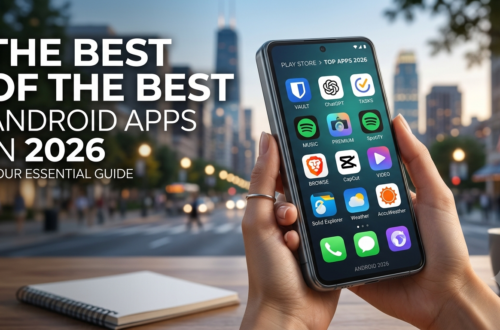
Your Android phone can do far more than calls, messages, and social media. The right apps can turn it into a pocket office, personal assistant, secure vault, photo studio, navigation tool, and entertainment center—without filling your storage with useless downloads.
If you are searching for the 15 android apps in 2026 that are actually worth installing, this guide cuts through the clutter. I ranked these picks around practical value, reliability, privacy, ease of use, free features, and how useful they are in everyday situations.
Some are completely free, while others offer optional paid upgrades. You will find AI assistants, productivity tools, privacy apps, media players, cloud storage, navigation, photo editors, and communication tools.
The goal is simple: install fewer apps, but make every app count.
Whether you are a student, freelancer, professional, creator, traveler, or casual Android user, these Best free Android apps 2026 picks can make your phone noticeably more useful. And because app features change quickly, I have focused on tools that offer genuine everyday value rather than simply chasing whatever app is trending this week.
Best Free Android Apps 2026: AI, Productivity & Everyday Essentials

The best Android setup starts with apps that solve problems you actually face. You do not need dozens of productivity tools. A handful of well-chosen apps can cover writing, planning, searching, note-taking, and everyday organization.
Here are the first five picks from our Best free Android apps 2026 list.
1. ChatGPT — Best AI Assistant
ChatGPT has become one of the most useful general-purpose AI tools for Android users. You can use it to brainstorm ideas, explain difficult topics, summarize information, draft emails, practice conversations, create outlines, and work through everyday questions.
Its biggest advantage is flexibility. Instead of opening a separate app for every small task, you can start with one conversation and work from there.
Best for: Writing, brainstorming, learning, research, coding help, and everyday questions.
Why it ranks highly: It can save time on small tasks that would otherwise require several searches or apps.
2. Google Gemini — Best Google-Centered AI Tool
If your Android phone already relies heavily on Google services, Gemini is worth trying. It fits naturally into the Google ecosystem and can help with questions, planning, writing, summarization, and other AI-assisted tasks.
For people who already use Google apps throughout the day, that ecosystem connection can make Gemini especially convenient.
Best for: Google users, AI assistance, planning, and information-based tasks.
3. Google Keep — Best Simple Notes App
Sometimes the most useful app is the one that does not try to do everything.
Google Keep makes it easy to save notes, shopping lists, reminders, images, and quick thoughts. You can also use labels, colors, widgets, and reminders to keep important information within reach. The Google Play listing shows that Keep continues to receive updates in 2026 and supports syncing across phones, tablets, computers, and Wear OS devices.
Best for: To-do lists, quick notes, grocery lists, reminders, and simple organization.
A relatable example: you remember something important while walking somewhere. Instead of telling yourself, “I’ll remember it later,” open Keep, type two lines, and move on. That tiny habit can prevent a surprising number of forgotten tasks.
4. Google Maps — Best Navigation App
Google Maps remains one of the easiest recommendations for navigation. It can help you find places, plan routes, check traffic conditions, explore businesses, and save locations.
It is particularly useful when you are traveling somewhere unfamiliar. Instead of memorizing directions, you can let the phone handle the route while you focus on getting there.
Best for: Driving, walking directions, public transportation, finding places, and travel planning.
5. Bitwarden — Best Free Password Manager
Using the same password everywhere is a risky habit. Bitwarden gives you a better way to manage login credentials by storing passwords in an encrypted vault and helping generate stronger credentials.
The Android version currently supports passwords and passkeys across devices, and its Google Play listing describes end-to-end encrypted vault storage and a free option without ads.
Bitwarden Password Manager on Google Play
Best for: Passwords, passkeys, secure login management, and online account security.
If you have more than five or six online accounts, a password manager can quickly become one of the most useful apps on your phone.
Top 10 Must-Have Android Apps: Security, Storage & Communication
The Top 10 must have Android apps should not only make your phone more entertaining. They should also protect your accounts, manage your files, and keep communication simple.
These next five picks focus on areas that many Android users overlook until something goes wrong.
6. Proton Authenticator — Best 2FA App
Two-factor authentication adds another layer of protection to online accounts. Proton Authenticator is a strong option for storing and generating one-time authentication codes.
The app supports offline use, cross-device synchronization, automatic backups, and biometric or PIN protection. It is also open source and available without requiring a Proton account.
Best for: Two-factor authentication and protecting important accounts.
A good security setup is not just about having a strong password. Adding 2FA means that a stolen password alone is less useful to someone trying to access your account.
7. Files by Google — Best File Manager
Android phones can become cluttered surprisingly quickly. Downloads, screenshots, duplicate files, videos, documents, and old memes all compete for storage.
Files by Google is useful for browsing files, organizing content, finding unnecessary files, and sharing files. It is particularly handy if your phone’s built-in file manager feels limited.
Best for: File management, storage cleanup, downloads, and sharing.
Before deleting anything, however, take a moment to check what the file is. Automatic cleanup suggestions are convenient, but important files should never be removed blindly.
8. WhatsApp — Best Everyday Messaging
For users who communicate with friends, family, classmates, clients, or international contacts, WhatsApp remains a practical choice.
It combines messaging, voice and video calls, group chats, media sharing, and other communication features in one place.
Best for: Messaging, group communication, voice calls, and video calls.
The important thing is to review privacy and notification settings after installation. You do not need every notification turned on.
9. VLC — Best Media Player
VLC is a great choice when you want a media player that supports a wide range of audio and video formats.
Instead of searching for a separate player whenever a particular file does not open correctly, VLC can handle many common formats from one interface.
Best for: Local videos, music, downloaded media, and different file formats.
It is especially useful for people who keep movies, lectures, music, or other media files directly on their phones.
10. Proton Drive — Best Privacy-Focused Cloud Storage
Cloud storage is useful for keeping important files available when you change phones, lose a device, or simply need access from somewhere else.
Proton Drive focuses strongly on privacy and encryption. Its Android listing currently offers free storage, automatic photo and video backup, offline access, file sharing, and end-to-end encryption.
Best for: Private cloud storage, document backups, photos, and sensitive personal files.
If privacy is a major concern, it is worth comparing how different cloud services handle encryption, account recovery, sharing, and metadata before moving your entire digital life to one provider.
New Android Apps 2026: Creativity, Photos & Learning
Not every great Android app needs to be brand-new. In fact, some of the strongest choices are established tools that continue to improve.
Still, the New Android apps 2026 conversation is important because AI, photo editing, education, and creator tools are changing quickly.
11. Snapseed — Best Photo Editor
Snapseed remains an excellent choice for people who want more control over photos without immediately paying for professional editing software.
You can make adjustments to brightness, contrast, color, details, cropping, and other elements. It is more capable than a basic filter app while remaining approachable for beginners.
Best for: Photo enhancement, social media images, basic professional editing, and creative adjustments.
A useful approach is to start with small edits. Increase clarity or contrast gradually rather than pushing every slider to the maximum. Natural-looking edits usually produce better results.
12. CapCut — Best Video Editing Option for Beginners
Short-form video has become a major part of online communication, and CapCut is popular because it makes editing accessible on a phone.
It provides tools for trimming clips, adding text, transitions, captions, effects, and other creative elements.
Best for: Short videos, social content, basic editing, captions, and quick projects.
However, do not assume every feature is free forever. App features and subscription offerings can change, so check the current pricing before relying on a premium tool for an important project.
13. Notion — Best All-in-One Workspace
Notion is useful when simple notes are no longer enough. You can build pages, task lists, databases, project trackers, study systems, content calendars, and personal knowledge bases.
The downside is that it takes longer to learn than a basic notes app.
That is not necessarily bad. If you enjoy organizing information, Notion can become the place where projects, ideas, research, and plans live together.
Best for: Students, freelancers, creators, project planning, and organized note-taking.
Most Useful Android Apps in Daily Life: Travel, Language & Media
The Most useful Android apps in daily life are often the ones you open without thinking about them. A good navigation app helps you get somewhere. A translation tool helps you understand something. A media app keeps you entertained while traveling.
These final two picks complete our core list.
14. Google Translate — Best Translation Tool
Google Translate is useful when you encounter a language you do not understand. Depending on the language and feature, it can translate typed text, speech, conversations, and images.
It can be especially helpful while traveling or reading signs, menus, instructions, or documents.
Best for: Travel, language learning, quick translations, and understanding unfamiliar text.
For important legal, medical, or official information, however, automated translation should not be treated as a perfect substitute for a qualified human translator.
15. Spotify — Best Music Streaming App
Spotify rounds out the list because entertainment is part of everyday phone use too. It provides access to music, podcasts, playlists, and personalized recommendations.
The free experience comes with limitations compared with paid plans, so users should check the current features available in their country.
Best for: Music, playlists, podcasts, background listening, and discovering new artists.
If you regularly listen while commuting, studying, exercising, or working, a good audio app can make your phone feel much more useful.
Top 10 Must-Have Android Apps Free: How to Build Your Perfect App Setup
You do not need to install all 15 android apps in 2026 simply because they made a list. The better approach is to choose apps based on what you actually do.
Here is a simple way to build your setup.
Step 1: Start with the essentials
Install the apps that solve immediate problems:
- Google Maps for navigation
- Google Keep for quick notes
- Files by Google for file management
- Bitwarden for passwords
- WhatsApp for communication
That gives you a solid everyday foundation.
Step 2: Add security
Next, protect your accounts.
Use a password manager such as Bitwarden and enable two-factor authentication where possible. An authenticator app can keep your verification codes organized rather than leaving account security entirely dependent on passwords.
Step 3: Add cloud backup
Important photos and documents should not exist only on one phone.
Choose a cloud service that matches your privacy and storage requirements. Proton Drive is one option for users who put strong emphasis on encrypted storage.
Step 4: Pick one productivity system
Do not install five different task managers and then spend more time managing your productivity apps than doing actual work.
For simple reminders and lists, Google Keep is enough for many people.
If you need databases, project pages, content calendars, or more advanced organization, Notion may be a better fit.
Step 5: Choose your creative tools
Creators can add Snapseed for photos and CapCut for video editing.
You do not need expensive software for every small project. For a quick social post, thumbnail, short video, or photo correction, a capable mobile editor can often get the job done.
Step 6: Remove apps you do not use
This is the step many people skip.
Every few months, look through your app drawer and ask:
- Have I opened this app recently?
- Does another app already do the same job?
- Do I still need the permissions it has?
- Is it taking up unnecessary storage?
- Would I miss it if I deleted it?
If the answer is “no” to all five, uninstalling it may be the better choice.
A practical example
Imagine a freelancer starts the morning with Google Keep for tasks, uses ChatGPT to brainstorm content ideas, checks Maps while traveling to a meeting, manages passwords through Bitwarden, stores important documents in cloud storage, and finishes the day editing a few images in Snapseed.
That is a much more useful setup than having 100 random apps installed simply because they looked interesting in the Play Store.
What makes an Android app worth installing?
I would look for five things:
- Real usefulness: It solves a problem you actually have.
- Reliability: It works consistently rather than constantly crashing.
- Privacy: Its permissions and data practices make sense for its purpose.
- Free value: The free version is useful without forcing an immediate upgrade.
- Long-term support: The developer continues maintaining the app.
That last point matters. An app can be brilliant today but frustrating six months later if development stops.
The Google Play Store’s Data safety information is also worth checking before installation. It can help you understand what information developers say their apps collect or share, although those declarations are supplied by developers and can change over time.
FAQs
1. What are the best Android apps in 2026?
The best choices depend on your needs, but ChatGPT, Google Keep, Google Maps, Bitwarden, Proton Authenticator, Files by Google, Snapseed, and WhatsApp are strong everyday options.
2. Which Android apps are free in 2026?
Many apps on this list offer useful free versions, including Google Keep, Bitwarden, Google Maps, VLC, Snapseed, and Proton Authenticator. Some other apps offer optional paid features or subscriptions.
3. How many apps should I install on my Android phone?
There is no perfect number. A smaller collection of reliable apps is usually better than installing dozens of tools that duplicate each other’s features.
4. Are password manager apps safe to use?
A reputable password manager can improve account security by generating and storing unique passwords. Choose a trusted provider, use a strong master password, and enable additional account security where available.
5. How can I keep my Android phone organized?
Group apps by purpose, remove unused downloads, review permissions periodically, keep important files backed up, and avoid installing multiple apps that perform exactly the same task.
Conclusion
The best 15 android apps in 2026 are not necessarily the newest or most heavily advertised. They are the apps that quietly make your phone more useful every day.
For productivity, Google Keep, Notion, ChatGPT, and Gemini can save time. For security, Bitwarden and Proton Authenticator provide stronger account protection. Files by Google and Proton Drive help manage and protect your data, while Snapseed and CapCut cover everyday creative work.
The key is not to install everything at once. Start with the two or three apps that solve your biggest problems, learn how to use them properly, and then expand your setup when you actually need another tool.
A smart Android phone is not the one with the most apps installed. It is the one where every installed app has a purpose.