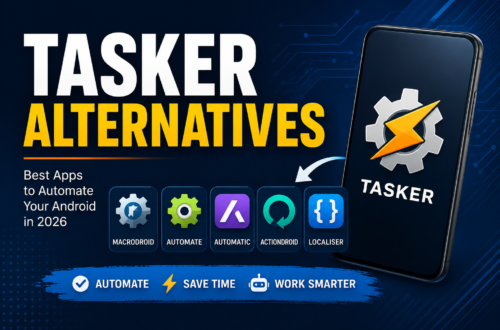
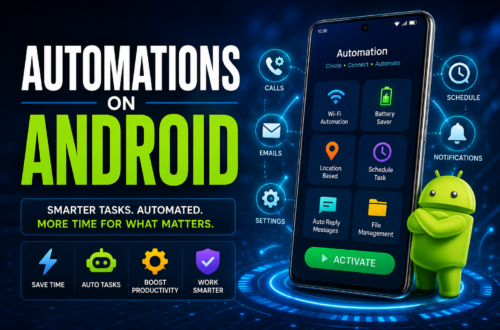
MacroDroid is an Android app that automates tasks on your phone. It works using “macros” — a simple combination of a trigger, one or more actions, and optional constraints — that runs automatically whenever your chosen condition is met.Developed by Arlosoft (Jamie Higgins), MacroDroid has been in active development since 2012. With over 30 million downloads on Google Play, it’s one of the most widely.
How MacroDroid Works
Every macro in MacroDroid is built from three parts:
- Trigger — the event that starts the macro. Examples include receiving an SMS, connecting to a specific Wi-Fi network, a scheduled time, a notification appearing, a button press, or an incoming webhook.
- Action — what happens once the trigger fires. MacroDroid ships with more than 350 built-in triggers, actions, and constraints, covering things like toggling system settings, sending messages, launching apps, adjusting brightness, and running shell commands on rooted devices.
- Constraint — an optional condition that must also be true for the macro to run, such as “only on weekdays” or “only when battery is above 50%.” Constraints can apply to the whole macro or to a single trigger or action.
A macro needs at least one trigger. If you add several, any one of them firing will start the macro — which is why MacroDroid supports combining opposite conditions (like “plug in charger” and “unplug charger”) into a single macro using an If/Else action rather than building two separate ones.
For more advanced setups, MacroDroid also supports:
- Variables and Magic Text — store data and insert live values (battery level, clipboard contents, SMS text) into any action.
- Dictionaries and arrays — structured data for more complex logic.
- If/Then/Else and loops — branching logic and repetition inside a single macro.
- Tasker and Locale plugin support — for users who want to extend MacroDroid with plugins built for other automation apps.
None of this requires programming knowledge. Triggers and actions are selected from labeled, searchable menus, which is the main reason MacroDroid is frequently described as the easier on-ramp into Android automation compared to more code-like tools.
What Can You Actually Automate With MacroDroid?
A few common examples pulled straight from real MacroDroid use cases:
- Turn on dark mode automatically at night and off in the morning.
- Switch Bluetooth on and Wi-Fi off when you get in the car, and reverse it when you get out.
- Send your current location automatically when you reply to a specific text.
- Read incoming notifications aloud.
- Set the phone to silent when you arrive at work, and back to normal when you leave.
- Trigger an action by tapping an NFC tag — for example, turning on Bluetooth and setting volume when you dock your phone.
- Wake a computer on your network using Wake-on-LAN.
The practical limit is less about MacroDroid’s capability and more about how many of your phone’s routine annoyances you can identify and turn into rules.
MacroDroid Pricing: Free vs. Pro
MacroDroid uses a freemium model:
| Plan | Price | Macro limit | Ads | Notes |
|---|---|---|---|---|
| Free | $0 | 5 macros | Yes | Full trigger/action library, just capped on how many macros you can save |
| Pro | One-time payment (roughly $4–5) | Unlimited | No | No subscription — pay once, keep it |
This one-time-purchase structure is worth calling out because most competing automation and productivity apps have shifted to subscriptions; MacroDroid has kept a perpetual license option, which is a recurring point in favor of it in user reviews.
MacroDroid vs. Tasker: Which Should You Use?
This is the comparison most people researching MacroDroid actually want answered, since Tasker is the other major Android automation app.
| MacroDroid | Tasker | |
|---|---|---|
| Learning curve | Low — plain-language trigger/action wizard | Steep — profile/task editor takes longer to learn |
| Logic depth | If/Else, loops, basic variables and arithmetic | Full boolean logic, regex, sub-tasks with parameters, array manipulation |
| Interface style | Guided, wizard-driven | Faster once learned, but dense for beginners |
| Plugin ecosystem | Smaller, supports some Tasker/Locale plugins | Much larger — roughly 10x the plugin availability |
| Pricing | Free (5 macros) or one-time Pro purchase | Paid, with a free trial |
| Best for | Everyday automations set up in minutes | Complex, highly customized automation workflows |
In practice: MacroDroid gets a working automation running faster because the trigger picker is grouped and searchable with plain-language labels, while Tasker’s editor is more powerful once you’ve learned it but noticeably harder to approach in the first week. If your automations are things like “silence my phone at night” or “reply automatically while driving,” MacroDroid covers that comfortably. If you need to parse JSON, loop over arrays, or build automations that behave like actual programs, Tasker’s logic depth is the real differentiator.
A common pattern among long-term Android automation users is to start with MacroDroid and only move to Tasker later, if a specific automation genuinely outgrows what MacroDroid’s If/Else and constraint system can express.
Does MacroDroid Require Root Access?
No — most of MacroDroid’s features work on a non-rooted device. Root access unlocks additional capabilities, such as toggling mobile data directly or running certain shell commands, but the core trigger/action/constraint system is designed to work without it.
Is MacroDroid Safe? What About Accessibility Permissions?
Some MacroDroid features — particularly automating taps or interactions within other apps’ UI — rely on Android’s Accessibility Service, which is a broad permission by nature. This is optional and only needed for specific actions; MacroDroid does not require you to enable it to use the core automation features, and the app states it does not collect or log user data through accessibility services. As with any app requesting Accessibility permissions, only enable it if you’re using a feature that specifically needs it.
FAQ
What is MacroDroid used for? MacroDroid is used to automate repetitive tasks on Android phones and tablets — things like changing settings, sending messages, or launching apps automatically based on triggers like time, location, or connected devices.
Is MacroDroid free? Yes. The free version supports up to 5 macros and is ad-supported. A one-time Pro purchase removes ads and unlocks unlimited macros with no subscription.
Is MacroDroid better than Tasker? Neither is universally “better” — MacroDroid is easier to learn and faster to get a working macro from, while Tasker offers deeper logic and a larger plugin ecosystem for complex automations. Most people who just want everyday automations find MacroDroid sufficient.
Does MacroDroid work without root? Yes, the majority of MacroDroid’s triggers and actions work on non-rooted devices. Root access adds a small number of additional capabilities like certain shell commands.
Can MacroDroid automate other apps? To a degree — MacroDroid can launch apps and, using Accessibility Service–based actions, interact with UI elements in some other apps. Deep integration with a specific third-party app’s internal functions isn’t guaranteed and depends on that app.
Does MacroDroid have a watch app? Yes. MacroDroid includes a Wear OS companion app that lets you trigger and interact with macros from your smartwatch, including watch face complications; the phone app is still required.