

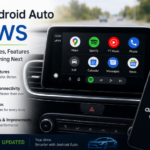




Best Android Auto Apps for 2026: Top Apps to Make Every Drive Smarter and Safer
Best Android Auto Apps for 2026
Android Auto has become one of the most useful features for drivers who want a safer and smarter driving experience. Whether you’re commuting to work, taking a road trip, or simply running errands, Android Auto lets you access essential apps without touching your phone.
But with hundreds of compatible apps available on the Google Play Store, many users wonder:
- Which Android Auto apps are actually worth installing?
- Which apps improve navigation and safety?
- What are the best music and podcast apps?
- Which Android Auto apps are new and useful in 2026?
In this guide, you’ll discover the best Android Auto apps for 2026, categorized by their purpose so you can build the perfect driving setup.
Why Android Auto Matters in 2026
Modern vehicles are becoming smarter every year. Android Auto connects your Android smartphone directly to your car’s infotainment system, allowing you to:
- Get turn-by-turn navigation
- Send voice messages
- Play music
- Listen to podcasts
- Receive calls safely
- Control apps using Google Assistant
- Reduce distractions while driving
Google continues improving Android Auto with a cleaner interface, better multitasking, and enhanced voice commands, making it one of the safest ways to use your phone on the road.
Best Navigation Apps for Android Auto
1. Google Maps
Google Maps remains the most popular navigation app.
Features
- Real-time traffic updates
- Alternate routes
- Lane guidance
- Speed limit information
- Live incident reports
- Offline maps
- EV charging station locations
Best For
Daily commuters and road trips.
2. Waze
If you drive frequently, Waze is a must-have.
Features
- Community-reported traffic
- Police alerts
- Accident notifications
- Construction warnings
- Road hazard alerts
- Fastest route suggestions
Best For
Drivers who want live traffic intelligence.
3. HERE WeGo
A great alternative to Google Maps.
Features
- Offline navigation
- Public transportation support
- Voice guidance
- Low mobile data usage
Perfect for travelers visiting areas with poor internet coverage.
Best Music Apps for Android Auto
4. Spotify
Spotify remains one of the best Android Auto apps in 2026.
Features
- Millions of songs
- AI playlists
- Podcasts
- Offline downloads
- Voice search
Ideal for every type of driver.
5. YouTube Music
Perfect for users already subscribed to YouTube Premium.
Features
- Personalized recommendations
- Music videos
- Smart downloads
- Large music library
- Voice commands
6. Amazon Music
Amazon Music continues adding support for Android Auto.
Features
- HD audio
- Offline playback
- Podcasts
- Alexa integration
Great for Amazon Prime members.
7. Tidal
Audiophiles will appreciate Tidal’s premium sound quality.
Features
- HiFi music
- Lossless audio
- Dolby Atmos support
- Curated playlists
Perfect for drivers who value audio quality.
Best Podcast Apps
8. Pocket Casts
Pocket Casts remains one of the best podcast players.
Features include:
- Automatic downloads
- Silence trimming
- Playback speed control
- Cloud sync
- Smart playlists
9. Audible
Road trips become more enjoyable with audiobooks.
Audible lets you:
- Listen to bestselling books
- Continue playback across devices
- Download books offline
- Control playback hands-free
Best Messaging Apps
10. WhatsApp
Android Auto supports WhatsApp notifications and messaging.
You can:
- Listen to incoming messages
- Reply using voice
- Make voice calls
- Receive notifications safely
11. Telegram
Telegram support continues improving in Android Auto.
Useful for:
- Voice replies
- Audio messages
- Hands-free communication
Best Communication Apps
12. Microsoft Teams
Perfect for professionals.
Features include:
- Join meetings
- Voice notifications
- Read messages
- Hands-free communication
13. Zoom
Useful for hearing meeting updates while driving.
Android Auto keeps interactions simple and minimizes distractions.
Best Charging & EV Apps
Electric vehicle owners need charging apps.
Popular options include:
- PlugShare
- ChargePoint
- Electrify America
These apps help locate nearby charging stations, display availability, and estimate charging costs.
Best Radio Apps
14. TuneIn Radio
Listen to:
- Live radio
- Sports
- News
- International stations
A great alternative to traditional FM radio.
Best Weather App
15. Weather & Radar
Weather information matters during long trips.
This app offers:
- Live radar
- Storm alerts
- Rain forecasts
- Travel weather updates
Best Productivity Apps
16. Calendar
Stay organized with voice-controlled access to your schedule.
You can:
- Hear upcoming meetings
- Navigate to appointments
- Receive reminders
17. Google Assistant
Google Assistant is the heart of Android Auto.
You can simply say:
- “Navigate home.”
- “Play my driving playlist.”
- “Call Mom.”
- “Read my messages.”
- “Find a coffee shop nearby.”
Hands-free control makes driving safer.
Best News Apps
18. NPR One
Stay updated while driving.
You can listen to:
- News
- Interviews
- Politics
- Technology
- Business updates
Best Fuel Price Apps
Fuel prices continue changing regularly.
Useful apps include:
- GasBuddy
- Fuelio
They help drivers locate cheaper fuel stations nearby.
New Android Auto Features in 2026
Google has continued improving Android Auto with features such as:
- Better split-screen support
- Improved voice recognition
- Faster app switching
- Smarter Google Assistant
- Enhanced notification management
- Better support for electric vehicles
- Improved widescreen displays
These updates make Android Auto more responsive and user-friendly.
Tips for Using Android Auto Safely
To get the best experience:
- Keep Android Auto updated.
- Use voice commands whenever possible.
- Avoid typing while driving.
- Download offline maps before long trips.
- Keep your phone charged.
- Enable Do Not Disturb while driving.
- Update compatible apps regularly.
How to Install Android Auto Apps
Installing apps is simple.
Step 1
Open the Google Play Store.
Step 2
Install apps that support Android Auto.
Step 3
Connect your phone to your car using USB or wireless Android Auto.
Step 4
Open Android Auto.
Step 5
Choose your preferred apps.
They’ll automatically appear on your car’s display if compatible.
Which Android Auto Apps Are Worth Installing?
If you’re building the perfect setup in 2026, these apps are highly recommended:
- Google Maps
- Waze
- Spotify
- YouTube Music
- Audible
- Pocket Casts
- TuneIn Radio
- Google Assistant
- PlugShare
- ChargePoint
- GasBuddy
Together, they cover navigation, entertainment, communication, and travel planning.
Conclusion
Android Auto has evolved into one of the most valuable driving companions available. With the right apps installed, you can navigate efficiently, enjoy music and podcasts, stay connected through voice messaging, monitor weather and fuel prices, and even locate EV charging stations—all while keeping your hands on the wheel and your eyes on the road.
Whether you’re a daily commuter, a rideshare driver, or someone who enjoys long road trips, the apps listed above will help you get the most out of Android Auto in 2026. Keep your apps updated, use voice controls whenever possible, and always prioritize safe driving.
Frequently Asked Questions (FAQs)
1. What are the best Android Auto apps for 2026?
The top Android Auto apps include Google Maps, Waze, Spotify, YouTube Music, WhatsApp, Audible, Pocket Casts, TuneIn Radio, PlugShare, and GasBuddy.
2. Is Android Auto free to use?
Yes. Android Auto is free to use. However, some compatible apps such as Spotify Premium, Audible, or YouTube Music Premium require paid subscriptions for full features.
3. Can I use Android Auto wirelessly?
Yes. Many modern vehicles support wireless Android Auto. Your phone must also support wireless connectivity, and both Bluetooth and Wi-Fi should be enabled.
4. Which navigation app is better: Google Maps or Waze?
Google Maps is excellent for general navigation and offline maps, while Waze excels at providing real-time community-based traffic alerts, accidents, and speed camera notifications.
5. Does Android Auto support WhatsApp voice messaging?
Yes. Android Auto allows you to hear incoming WhatsApp messages and reply using voice commands through Google Assistant.
6. Which music app works best with Android Auto?
Spotify and YouTube Music are the most popular choices due to their large music libraries, personalized recommendations, and smooth voice control integration.
7. Can I install any Android app on Android Auto?
No. Only apps specifically designed and approved for Android Auto compatibility will appear on your car’s infotainment screen.