[2026] 10 Powerful Android Automation Apps (Free & Paid)
We unlock our smartphones over 100 times a day. We toggle Wi-Fi when we get home, silence our ringers during work meetings, manually reply to late-night texts, and clear dozens of redundant notifications. But what if your phone could do all of that on its own?
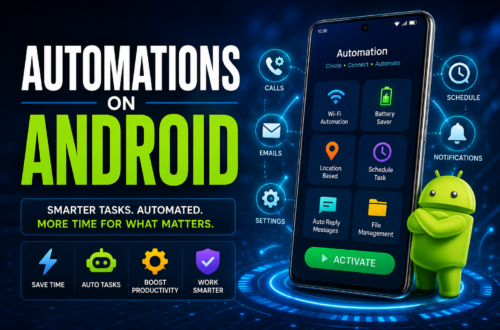
Android has always held a massive advantage over other mobile operating systems thanks to its open ecosystem and deep system permissions. In 2026, mobile automation has matured from a niche hobby for tech geeks into a mainstream productivity game-changer. Whether you want to save battery life, automate your smart home, or eliminate repetitive taps, choosing [2026] 10 Powerful Android Automation Apps (Free & Paid) can transform your device into a self-operating personal assistant.
Finding the best automation app for Android comes down to balancing raw power with ease of use. In this comprehensive guide, we explore the top free and paid options available today, helping you streamline your digital life effortlessly.
Understanding Android Automation Like iOS Shortcuts
If you are transitioning from an iPhone, you might be looking for Android automation like iOS Shortcuts. While Apple’s Shortcuts app offers a clean, streamlined way to run basic routines, Android automation operates on a completely different level.
On iOS, background scripts are often limited by strict sandbox rules that pause tasks or require manual user confirmation. On Android, automation tools interact directly with your device’s core hardware, radios, sensors, and system settings. You can trigger complex actions based on:
Location: GPS coordinates, cell tower connections, or Wi-Fi network detection.
Hardware State: Battery percentage, charging status, headphone jack insertion, or screen orientation.
Sensors: Proximity sensors, ambient light level, device shake, or flip gestures.
System Events: Incoming calls, specific SMS text triggers, app launches, or notification contents.
Whether you want a simple trigger-and-action setup or a complex conditional workflow, Android gives you total control over how your device behaves.
[2026] 10 Powerful Android Automation Apps (Free & Paid)
Here is our curated list of the top 10 automation apps available for Android in 2026, spanning simple single-tap widgets to visual flowchart builders and advanced scripting powerhouses.
1. Tasker (Paid – $3.49)
Best For: Power users who want absolute control over every aspect of their device.
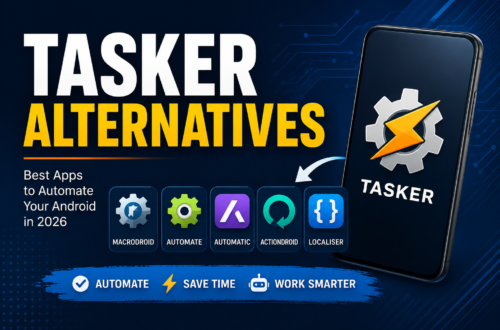
Tasker remains the undisputed king of Android automation. While it carries a steep learning curve, no other app offers deeper system hooks. Tasker operates on a simple structure: Profiles (triggers like time, location, or app launch) trigger Tasks (actions like changing settings, launching scripts, or sending data).
With its companion plugins—such as AutoInput for simulating screen taps without root access—Tasker can interact with virtually any app on your phone. You can even create standalone Android apps from your Tasker projects using the Tasker App Factory.
Pros: Unmatched system access, huge online community, no subscription fee.
Cons: Intimidating interface for beginners.
For more complete guide
2. MacroDroid (Freemium – Free / $5.99 Pro)
Best For: Anyone looking for maximum automation power without a complex setup.
If Tasker feels overwhelming, MacroDroid is the perfect alternative. It simplifies automation into three easy components: Triggers, Actions, and Constraints (optional conditions, like “only run if connected to home Wi-Fi”).
MacroDroid includes over 120 built-in triggers and 200 actions presented in a clean, color-coded interface. Its built-in Template Store lets you browse thousands of pre-made macros created by other users, letting you install complex routines in a single tap.
Pros: Beginner-friendly wizard, drag-and-drop workflow, active template community.
Cons: Free tier limits you to 5 active macros.
3. Automate by LlamaLab (Freemium – Free / $3.99 Premium)
Best For: Visual thinkers who prefer flowchart-style logic blocks.
Automate takes a unique approach to mobile scripting by utilizing a visual block-based flowchart model. Instead of reading through list menus, you build automations by connecting decision blocks, event triggers, and action nodes on a canvas.
If you are searching for the most powerful android automation in 2026 free download, Automate is a top contender. The free version gives you access to almost all features, including building flowcharts with up to 30 blocks. If you prefer offline installations or side-loading on custom hardware, downloading the official Automate LlamaLab APK ensures you can run your flows on almost any Android-powered hardware, including tablets and Android TV boxes. Getting the most powerful android automation in 2026 free download apk package directly allows power users to deploy flows across secondary devices without relying on Google Play services.
Pros: Intuitive flowchart builder, great logic handling (if/then branches), generous free model.
Cons: Large flows can look cluttered on small smartphone screens.
4. IFTTT — If This Then That (Freemium)
Best For: Connecting phone actions to cloud services and smart home ecosystems.
While Tasker and MacroDroid excel at local device control, IFTTT dominates web-based automation. IFTTT bridges the gap between your Android phone and hundreds of online platforms, including Google Workspace, Amazon Alexa, Philips Hue, Slack, and Spotify.
You can create “Applets” that automatically back up your smartphone photos to Dropbox, post your Instagram photos across Twitter as native images, or trigger your smart thermostat when your phone’s GPS detects you are heading home.
Pros: Seamless integration with over 700 web services and smart home brands.
Cons: Advanced multi-step applets require a paid monthly subscription.
5. Buzzkill (Paid – $2.49)
Best For: Taking total control over incoming phone notifications.
Buzzkill focuses specifically on one crucial aspect of smartphone use: notifications. Rather than changing device settings, Buzzkill monitors incoming alerts and takes smart actions based on rules you define.
You can set Buzzkill to:
Bother Me: Repeat urgent notifications (like alerts from a family member) until you read them.
Cooldown: Stop apps like group chats from buzzing your phone 20 times in 10 seconds.
Batch: Group low-priority alerts to deliver all at once during a scheduled break.
Extract: Automatically copy 2FA security codes from SMS messages straight to your clipboard.
Pros: Clean UI, zero privacy risks (all processing happens locally on your device), set-and-forget utility.
Cons: Restricted strictly to notification-based triggers.
6. Action Blocks by Google (Free)
Best For: One-tap home screen shortcuts and accessibility.
Action Blocks combines the power of Google Assistant with visual home screen widgets. Originally designed as an accessibility tool, it has become a popular lightweight automation tool for everyday users.
Each Action Block acts as a customizable button on your home screen that performs Google Assistant commands automatically. A single tap can call a family member, turn off smart lights, play a specific playlist, or read out your schedule for the day.
Pros: 100% free, extremely simple, perfect for non-technical users or elderly relatives.
Cons: Limited to actions supported by Google Assistant.
7. Auto Clicker – Automatic Tap (Free / $2.99 Ad-Free)
Best For: Automating repetitive screen taps and swipe gestures.
Sometimes you don’t need system-level triggers; you just need your phone to tap the screen automatically. Auto Clicker provides a floating control panel that allows you to place target points anywhere on your display.
It is widely used for automating repetitive game actions, refreshing time-sensitive web pages, or handling tedious multi-step form submissions. You can set precise timing intervals, swipe durations, and tap sequences without requiring root access.
Pros: Easy setup via Android Accessibility settings, supports complex multi-point tap sequences.
Cons: Ads in the free version; cannot perform logic-based system actions.
8. E-Robot (Free)
Best For: Deep event-based conditions and sensor monitoring.
E-Robot is a hidden gem in the Android automation landscape. It offers over 170 trigger types and more than 150 action types, allowing you to run scripts based on precise sensor readings, battery temperatures, location geofences, or Bluetooth connections.
The interface is functional and straightforward, catering to users who want granular control without paying for premium subscriptions. It also supports Tasker plugins to expand its capabilities even further.
Pros: Completely free, lightweight performance, extensive trigger list.
Cons: Dated user interface that takes time to master.
9. Zapier Mobile (Freemium)
Best For: Professionals automating business workflows and CRM tasks on the go.
Zapier is the enterprise brother of IFTTT. Designed for professionals and remote workers, Zapier connects mobile actions directly to business applications like Salesforce, Hubspot, Trello, Google Sheets, and Zoom.
You can set up mobile webhooks that log incoming business calls directly into a Google Sheet, send Slack notifications when new lead forms are submitted, or create tasks in Asana based on starred emails.
Pros: High reliability, enterprise-grade app integrations, powerful data formatting options.
Cons: Free tier is limited; premium plans are priced for businesses rather than casual users.
10. Samsung Modes and Routines (Free – Built-in for Galaxy Devices)
Best For: Samsung Galaxy users who want native, battery-friendly automation.
If you own a Samsung Galaxy phone running One UI, you already have one of the best automation engines pre-installed. Formerly known as Bixby Routines, Modes and Routines uses “If / Then” conditional logic that integrates seamlessly into the system.
Because it is built directly into the operating system firmware, Samsung Modes and Routines uses almost zero background battery life. You can automate screen refresh rates, sound profiles, dark mode toggles, eye comfort shields, and battery-protect limits based on location or app usage.
Pros: Pre-installed, completely free, beautifully designed, zero impact on battery life.
Cons: Exclusive to Samsung Galaxy smartphones and tablets.
For better understand visit
Comparing the Top Android Automation Tools
To help you decide which tool best fits your workflow, here is a quick breakdown comparing features, complexity, and cost:
| App Name | Target User | Learning Curve | Primary Logic Style | Price |
| Tasker | Power Users | High | Profile / Action Lists | $3.49 (One-time) |
| MacroDroid | Beginners / Intermediates | Low | Trigger / Action / Constraint | Free (5 Macros) / $5.99 |
| Automate | Visual Thinkers | Medium | Block Flowcharts | Free (30 Blocks) / $3.99 |
| IFTTT | Smart Home / Cloud Users | Low | Web Applets | Free / Subscription |
| Buzzkill | Everyday Users | Low | Notification Rules | $2.49 (One-time) |
| Action Blocks | Beginners / Accessibility | Very Low | Voice Shortcut Widgets | Free |
| Auto Clicker | Gamers / Casual Tappers | Low | Screen Taps & Swipes | Free / $2.99 |
| E-Robot | Tech Enthusiasts | Medium | Conditional Events | Free |
| Zapier | Business Professionals | Medium | Multi-App Zaps | Free / Subscription |
| Modes & Routines | Samsung Galaxy Owners | Very Low | Native If/Then Rules | Free (Pre-installed) |
Key Tips Before You Start Automating
To ensure your automations run smoothly without draining your battery or getting killed by the operating system, keep these three important tips in mind:
1. Disable Battery Optimization: Modern Android versions aggressively shut down background apps to save battery. To keep apps like Tasker or MacroDroid running reliably, go to Settings > Apps > [Your Automation App] > Battery and set it to Unrestricted.
2. Enable Accessibility Services: Apps that simulate screen taps or read notification contents (like Auto Clicker or Buzzkill) require Accessibility permissions. Make sure to turn these permissions on in your phone’s settings menu.
3. Start Small: Don’t try to build a massive 20-step workflow on day one. Start with a simple two-step automation—like automatically turning on Bluetooth when you open a music app—and build up to more advanced projects as you get comfortable with the interface.
Conclusion: Transform Your Smartphone Experience
Your smartphone is essentially a pocket-sized supercomputer—there is no reason you should waste time doing manual, repetitive tasks every single day.
Whether you opt for the deep customization of Tasker, the visual flowcharts of Automate, or the simple interface of MacroDroid, testing out [2026] 10 Powerful Android Automation Apps (Free & Paid) will help you reclaim lost productivity, optimize your phone’s performance, and enjoy a truly personalized digital experience. Pick the app that matches your comfort level, install your first routine, and let your Android phone do the work for you!