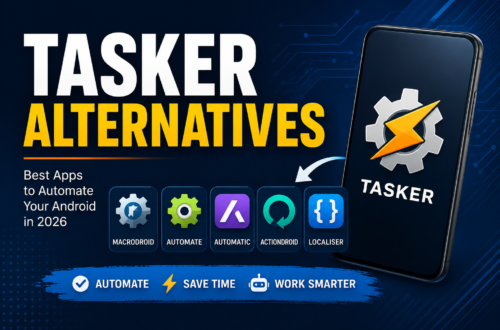
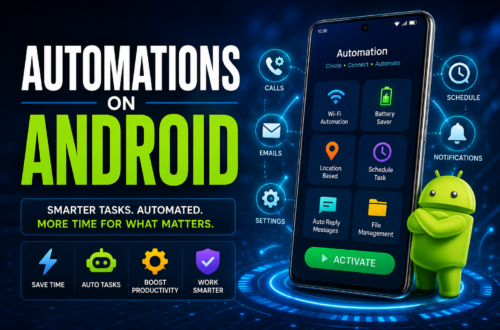
Smartphones have become the command centers of our daily lives. From turning off Wi-Fi when you leave home to automatically texting your spouse when you leave the office, device automation saves time and battery life while reducing daily friction. For over a decade, Tasker stood as the undisputed titan of Android automation. However, its complex interface, steep learning curve, and upfront cost leave many users searching for a reliable free tasker alternative android in 2026.
Modern versions of Android (Android 14, 15, and 16) have changed how background permissions and system toggles operate. You no longer need to spend hours writing custom scripts or rooting your smartphone just to automate everyday routines.
Whether you want a simple drag-and-drop builder, a privacy-focused open-source project, or a complete system tweak tool, this guide covers the top options available today.
Why Look for a Tasker Alternative in 2026?
While Tasker remains insanely powerful, it isn’t always the right fit for the modern user. Here is why millions of Android users are making the switch to streamlined alternatives:
Steep Learning Curve: Tasker feels like an integrated development environment (IDE). If you don’t understand variables, arrays, or shell scripts, creating a simple task can feel overwhelming.
Upfront Cost: Tasker is a paid app. While it isn’t expensive, many users prefer testing automation workflows with a free app before making any financial commitment.
Complex UI: Modern Android users expect clean, intuitive, and accessible user interfaces that follow Material You design standards rather than legacy menus.
Overkill for Basic Tasks: If you only want your phone to go silent during calendar meetings or launch Spotify when connected to Bluetooth, Tasker is akin to using a sledgehammer to crack a nut.
Fortunately, developers have stepped up with incredible tools that offer equal—or better—usability without the headaches.
Top No-Root Options: Powerful Automation Made Simple
Rooting a phone in 2026 is increasingly rare due to banking security apps, DRM restrictions, and safety protocols like Play Integrity. If you are searching for a free tasker alternative android in 2026 no root required, you have several stellar choices that leverage modern Android APIs, Accessibility Services, and Shizuku integration.
1. MacroDroid
If Tasker is the complex Linux terminal of automation, MacroDroid is the clean, high-performance desktop interface. It is widely considered the best overall alternative for most Android users.
+-----------------------------------------------------------------+
|                       HOW MACRODROID WORKS                      |
+-----------------------------------------------------------------+
|  [ TRIGGER ]    --->   [ ACTION ]      --->   [ CONSTRAINT ]    |
|  "Headphones connected" "Set volume to 70%"   "Only if 8am-5pm" |
+-----------------------------------------------------------------+
Why MacroDroid Stands Out
MacroDroid breaks automation down into three straightforward concepts:
Triggers: What kicks off the process? (e.g., low battery, connecting to car Bluetooth, receiving a specific text).
Actions: What should your phone do? (e.g., turn on hotspot, read text aloud, dim screen).
Constraints: When should this run? (e.g., only on weekdays, only if charging).
Key Features:
User-Friendly UI: Clean wizard-style setup that walks you through every step.
Template Store: Access thousands of user-created macros ready to import with a single tap.
No Root Needed: Works seamlessly using standard Android permissions and optional ADB/Shizuku permissions for deeper system toggles.
Generous Free Tier: The free version lets you build up to 5 custom macros with full functionality, making it perfect for daily routines.
2. Automate (by LlamaLab)
For visual thinkers who want logic-based building blocks without writing code, Automate is a top contender.
[Start] ---> [Is Connected to Home Wi-Fi?]
                   |               |
                 (Yes)            (No)
                   |               |
        [Disable Bluetooth]   [Enable Bluetooth]
Why Automate Works:
Automate represents workflows using flowcharts. You connect trigger blocks, decision blocks, and action blocks using visual wire connections.
Over 300+ Building Blocks: Control everything from basic settings to HTTP requests and cloud integrations.
Visual Logic: Easy to spot logic errors or endless loops in your automation chain.
Community Market: Download and share custom flowcharts for free.
Read More
Open-Source & Community Solutions: GitHub and F-Droid
For privacy enthusiasts, developers, and tech purists, closed-source apps from the Google Play Store might not fit the bill. If you are searching for a free tasker alternative android in 2026 github developers actively maintain, the open-source community offers transparent, ad-free alternatives.
1. Easer (FOSS Device Automation)
Easer is an open-source Android automation project designed to relieve users from tedious manual settings adjustments.
Highlights:
100% Free and Open Source: No ads, no trackers, and fully auditable code on GitHub and F-Droid.
Event-Driven Architecture: Uses “Events,” “Conditions,” and “Actions” to manage device states efficiently.
Privacy-First: Operates completely offline without sending telemetry or personal data to remote servers.
2. Termux + Shell Scripting
For Linux enthusiasts and developers, combining Termux with system utilities provides near-infinite automation power.
How it works: By creating shell scripts and utilizing
Termux:API, you can automate background tasks, network scans, file backups, and notification management.GitHub Ecosystem: Searching for
free tasker alternative android in 2026 githubrepositories reveals dozens of community-curated shell scripts and termux automation tools designed for modern Android devices.
Comparison: Top Free Tasker Alternatives in 2026
| Feature | MacroDroid | Automate | Easer (FOSS) | Tasker (Reference) |
| Price | Free (5 Macros) | Free (Unlimited blocks) | 100% Free / Open Source | Paid ($3.49+) |
| Ease of Use | High (Very Beginner-Friendly) | Medium (Visual Flowchart) | Medium-Low | Low (Steep Learning Curve) |
| Root Required? | No | No | No | Optional (Unlocks extra features) |
| Best For | Everyday quick workflows | Complex visual logic | Privacy purists & FOSS fans | Power users & developers |
Clarifying Confusion: Tasker vs. Task Services
When searching online for automation software, you might encounter a common mix-up in search results: people looking for apps like Tasker TaskRabbit.
Because “Tasker” shares a root word with home-service platforms like TaskRabbit, search engines occasionally group them together. However, these tools serve completely different purposes:
+-------------------------------------------------------------------------+
|                        AUTOMATION vs. GIG ECONOMY                       |
+-------------------------------------------------------------------------+
|  SMARTPHONE AUTOMATION                 GIG & SERVICE SERVICES           |
|  (Tasker, MacroDroid, Automate)        (TaskRabbit, Handy, Thumbtack)   |
|  • Automates system settings           • Hires real humans              |
|  • Toggles Wi-Fi / Bluetooth           • Assembles IKEA furniture       |
|  • Manages battery profiles            • Cleans houses / fixes plumbing |
+-------------------------------------------------------------------------+
System Automation Apps (Tasker, MacroDroid, Automate): Software designed to control your Android hardware, software settings, toggles, and notification triggers.
Real-World Task Apps (TaskRabbit, Handy, Thumbtack): On-demand gig economy marketplaces designed to hire freelancers to clean your house, move furniture, or mount a TV.
If you landed here hoping to automate phone calls, system settings, or battery profiles, you need smartphone automation tools like MacroDroid. If you need someone to fix a leaky faucet, you are looking for gig-economy service platforms!
Popular Everyday Automation Recipes for 2026
Ready to save hours every week? Here are four simple automation routines you can set up in under two minutes using a free app like MacroDroid or Automate:
1. Smart Battery Saver at Night
Trigger: Time reaches 11:00 PM AND Charging status is False.
Action: Turn off Wi-Fi, turn off Bluetooth, set screen brightness to 10%.
Constraint: Weeknights only.
2. Automatic Car Driving Profile
Trigger: Connected to Car Bluetooth.
Action: Launch Google Maps/Waze, set media volume to 80%, turn off Wi-Fi.
Constraint: None.
3. Emergency Phone Ringing
Trigger: Received SMS containing keyword “Emergency Alert” from starred contact.
Action: Set Ringer volume to 100%, override Silent/Do Not Disturb mode, sound custom alarm.
4. Meeting Auto-Responder
Trigger: Calendar event marked “Busy” starts.
Action: Enable Do Not Disturb, send automated SMS reply to incoming calls: “I am currently in a meeting and will get back to you shortly.”
Choosing the Right Free Tasker Alternative Android in 2026
Selecting the ideal free tasker alternative android in 2026 depends on your comfort level with tech, your device permissions, and your privacy preferences:
Choose MacroDroid if: You want a clean, fast, zero-headache experience that works right out of the box without rooting.
Choose Automate if: You enjoy mapping out visual flowcharts and building multi-branch conditional logic routines.
Choose Easer or GitHub FOSS Projects if: You prioritize open-source transparency, zero ads, and total data privacy.
By automating repetitive mobile tasks, you reclaim lost time, optimize battery consumption, and make your phone work for you—rather than the other way around.
Frequently Asked Questions (FAQ)
1. What is the easiest free Tasker alternative for Android?
MacroDroid is widely considered the easiest free Tasker alternative. Its simple three-step setup (Triggers, Actions, Constraints) and extensive built-in template library let users build working automations in less than two minutes without technical knowledge.
2. Can I run Android automations without rooting my phone in 2026?
Yes! Modern Android automation apps like MacroDroid and Automate use Android’s native Accessibility Services, Notification Access, and background permissions to perform almost all everyday automations without requiring root access. For advanced system toggles, tools like Shizuku allow non-rooted access to system-level permissions safely.
3. Is MacroDroid completely free to use?
MacroDroid offers a functional free tier that allows you to create and maintain up to 5 custom macros with full access to triggers and actions. If you need unlimited macros and ad removal, a small one-time lifetime license upgrade is available.
4. What is the main difference between Tasker and TaskRabbit?
Tasker is an Android software application used to automate phone settings, apps, and hardware functions. TaskRabbit is an on-demand service marketplace used to hire freelance workers to perform physical household tasks, such as assembling furniture, yard work, or moving boxes.
5. Where can I find open-source Android automation projects?
You can find open-source automation projects on GitHub and F-Droid. Popular community-driven projects include Easer, Termux-based automation scripts, and various Shizuku-assisted utility modules. Searching for free tasker alternative android in 2026 github repositories will lead you directly to active, community-maintained codebases.