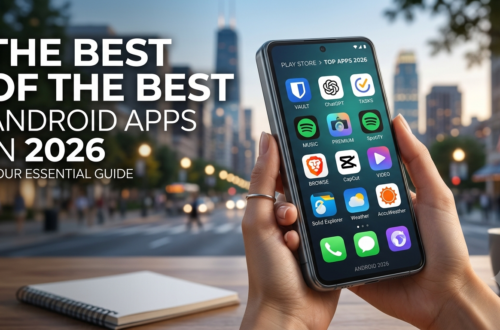
Best of the Best Android Apps 2026: The Ultimate Power User Guide
The mobile landscape has undergone a massive transformation, driven by local AI execution, deeper system control, and next-generation productivity environments. To help you navigate the crowded Google Play Store and open-source repositories, we have curated a definitive guide to the absolute pinnacle of mobile software available today.
Whether you are looking to turn your device into a portable workstation, automate repetitive daily workflows, or build a seamless self-improvement routine, these applications deliver unmatched utility.
Read More
Top 10 Best of the Best Android Apps: The Definitive List
To kick off our guide, let’s look at the absolute gold standard of mobile applications. These selections emphasize user empowerment, customizability, and deep hardware integration.
Tasker: The undisputed king of system automation. Tasker allows you to create intricate, conditional workflows triggered by location, time, hardware states, or network connections.
Termux: A powerful terminal emulator and Linux environment simulation that runs directly on Android without requiring root access. It is perfect for developers, sysadmins, and tech enthusiasts looking to run scripts or compile code on the go.
MacroDroid: An incredibly user-friendly yet deeply powerful automation utility. It uses a straightforward “Trigger -> Action -> Constraint” framework, making advanced mobile automation accessible to everyone.
Obsidian: A markdown-based, local-first knowledge management and note-taking application. Its powerful graph view and extensive plugin ecosystem make it a premier tool for life organization and self-improvement.
Automate: A visually driven automation app that lets you configure device routines using flowcharts. You simply drag and drop blocks to connect triggers and actions visually.
AndroNix: An application that makes it incredibly simple to install full Linux distributions (like Ubuntu, Debian, or Manjaro) on top of your Android system via Termux and VNC environments.
BuzzKill: A specialized notification utility that allows you to filter out clutter, create custom alerts, automatically copy verification codes, or batch lower-priority notifications to see them later.
Niagara Launcher: A fluid, minimalist home screen replacement that focuses on ergonomic efficiency and reducing digital distractions by arranging your apps in a clean, alphabetical list with inline notifications.
TickTick: A comprehensive task manager, habit tracker, and Pomodoro timer bundled into one cohesive application, designed to streamline daily execution and goal setting.
ProtonVPN: A security-first virtual private network offering robust encryption, open-source transparency, and a strict no-logs policy to protect your data across public networks.
10 Best Apps in Mobile Ecosystems Today
What sets the 10 best apps in mobile apart from standard software is their adherence to modern design principles and system optimization. In 2026, top-tier apps must seamlessly bridge the gap between simple mobile interfaces and desktop-level capabilities. Tools like Termux and Tasker prove that mobile devices are no longer just for content consumption; with the right software setup, they are fully mature computing environments capable of heavy lifting.
Best of the Best Android Apps Reddit Communities Constantly Recommend
If you browse dedicated tech and customization forums, the best of the best android apps reddit threads regularly highlight power-user utilities that offer long-term value. Android enthusiasts frequently champion open-source software (FOSS) and tools that respect user privacy while expanding device capabilities.
Reddit power users consistently praise applications like Termux and AndroNix for their ability to simulate fully functional Linux environments on mobile devices. Similarly, the r/androidapps community widely treats MacroDroid and Tasker as mandatory installations for anyone who wants to break free from standard system limitations and build truly automated workflows.
Most Useful Android Apps in Daily Life for Maximum Efficiency
When evaluating software utility, the true test is how seamlessly an app integrates into your everyday routines. The most useful Android apps in daily life are those that actively save you time, reduce cognitive load, and eliminate friction.
Notification Filtering: Apps like BuzzKill ensure you only see notifications that actually matter when you are working, automatically dismissing or snoozing distractions based on precise rules.
Habit and Task Tracking: Utilizing a cross-platform solution like TickTick lets you manage your daily schedule, track self-improvement metrics, and set persistent reminders for critical milestones.
Knowledge Retention: Keeping a local-first repository with Obsidian ensures that your thoughts, article drafts, or project ideas are organized semantically and accessible instantly without relying on a constant cloud connection.
Top 10 Must Have Android Apps for Every Smartphone User
To maximize the ROI of your hardware investment, establishing a core toolkit is essential. The following categories represent a summary of the top 10 must have Android apps designed to optimize device management, file handling, and day-to-day execution:
Advanced Launcher: (e.g., Niagara Launcher or Nova Launcher) to control your interface layout and optimize app launching speed.
Robust Automation Utility: (e.g., MacroDroid) to handle background tasks like turning off Wi-Fi when you leave the house or adjusting brightness based on specific apps.
Local Terminal Emulator: (e.g., Termux) for running command-line utilities and scripts on device.
Local-First Text Editor: For managing your personal knowledge graph securely without external server dependencies.
Smart Notification Manager: To prevent notification fatigue and automate quick-replies or verification code copying.
Privacy-Focused VPN: To ensure secure encryption and data integrity across all network connections.
Unified Task Manager: To bridge the gap between daily to-do lists, calendar integration, and habit building.
Secure Password Manager: (e.g., Bitwarden) to maintain robust, encrypted credentials across all platforms.
Advanced File Explorer: (e.g., Solid Explorer) to handle local networks, cloud storage integrations, and compressed archives.
Open-Source Web Browser: (e.g., Firefox or Brave) with aggressive tracker blocking and extension support to ensure clean web navigation.
Best Apps for Android Tablet Free of Cost
Large-screen mobile devices demand software that can scale gracefully to take full advantage of expanded display real estate. The best apps for Android tablet free tiers unlock desktop-level productivity without requiring a paid subscription.
Applications like Obsidian shine brilliantly on tablets, offering multi-pane markdown editing and side-by-side note graphs that make research incredibly efficient. For developers and system administrators, running a Linux simulation via Termux combined with a free VNC viewer on a tablet screen practically recreates a complete, lightweight laptop experience—allowing you to manage servers, execute scripts, and edit code comfortably on a spacious canvas.
Top 10 Must Have Android Apps Free to Download Today
High-end functionality does not always require a premium subscription fee. You can construct a world-class software environment entirely out of open-source and free-tier solutions. Here is a curated selection of the top 10 must have Android apps free of paywalls:
| App Name | Primary Function | Core Benefit |
| Termux | Linux Simulation & CLI | Free, open-source terminal access without root. |
| MacroDroid (Free Tier) | Workflow Automation | Create up to 5 highly complex macro routines entirely free. |
| Obsidian (Personal) | Note-Taking & Knowledge Graph | Local storage, completely free for individual use. |
| Automate (Free Tier) | Flowchart-Based Automation | Build visual logic blocks to control device settings. |
| Niagara Launcher (Free) | Minimalist Interface | Clean, ergonomic list layout that dramatically cuts down screen time. |
| Bitwarden | Password Management | Secure, cross-platform password vaulting with free sync. |
| VLC for Android | Media Playback | Plays every file format imaginable with no ads or in-app purchases. |
| KDE Connect | Cross-Device Sync | Wirelessly sync notifications, clipboards, and files with your desktop PC. |
| Proton Mail | Encrypted Email | Zero-access, end-to-end encrypted email storage out of the box. |
| F-Droid | FOSS App Store | An alternative repository dedicated solely to Free and Open Source Android apps. |
Best Apps for Android 2026: Shaping the Future of Mobile Computing
As we analyze the landscape of the best apps for Android 2026, a clear trend emerges: the most impactful applications are those that treat mobile devices as open, highly adaptable computers. The shift toward powerful local utilities like Tasker for automated background execution, alongside Termux and AndroNix for local desktop environments, emphasizes that the future belongs to deep customizability.
By strategically selecting and configuring these core applications, you can transform your device from a basic communication portal into an incredibly powerful engine for automation, development, and daily life organization.