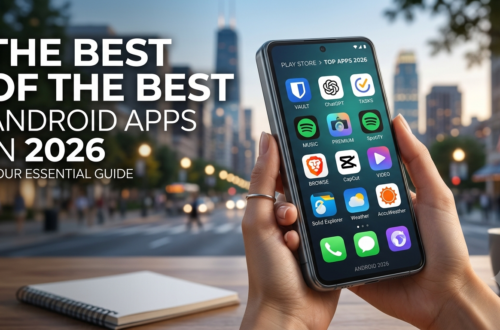
What Are the Best Android Apps/Most Useful Ones? (in 2026)
Our smartphones are the central command centers of our modern lives. From managing work projects on the morning commute to tracking grocery lists, monitoring health goals, and streaming audiobooks during evening runs, an Android phone is only as capable as the software installed on it. However, opening the Google Play Store can quickly feel overwhelming. With millions of applications competing for your attention and storage space, sifting through battery-draining bloatware to find genuine, high-value tools isn’t easy.
If you frequently unlock your device asking, what are the best Android apps/most useful ones? (in 2026), you aren’t alone. Mobile technology has evolved rapidly, with on-device AI integration, seamless cross-platform syncing, and zero-knowledge privacy protections setting brand-new standards for mobile software.
In this article, we break down the standout applications transforming user experience this year, helping you turn your Android device into a clean, secure, and hyper-efficient digital companion.
Rethinking Mobile Efficiency: Why App Choice Matters
Before diving into specific picks, it is worth considering how software selection shapes your daily routine. Most smartphone users install dozens of single-use apps that clog system storage and run background processes that quietly drain battery power. Focusing on versatile, high-utility tools declutters your digital space while boosting productivity.
When evaluating the most useful apps in daily life, the top options share three essential traits:
Frictionless Workflows: They eliminate repetitive manual steps, such as typing long passwords or fighting with slow file transfers.
Privacy-First Design: They rely on local data processing or zero-knowledge encryption rather than aggressive user tracking.
Cross-Platform Syncing: They bridge the gap between your Android phone, Windows PC, or Mac without locking you into a closed system.
Choosing applications built around these principles ensures that every interaction with your phone feels fast, responsive, and purposeful.
What Are the Best Android Apps/Most Useful Ones? (in 2026)
If you are looking for an expert-tested selection of software that delivers measurable value every single day, look no further. Here is a breakdown of the top 10 must have Android apps available right now:
1. Bitwarden (Password Security)
Managing unique, secure passwords across dozens of accounts manually is nearly impossible. Bitwarden remains a top-tier security utility on Android. As an open-source, zero-knowledge password manager, Bitwarden encrypts your vault locally before it touches the cloud. It offers effortless autofill across Android apps, integrated two-factor authentication (2FA) code generation, and multi-device syncing completely free.
2. NotebookLM by Google (AI Knowledge Assistant)
Google’s NotebookLM is one of the most practical AI implementations available on Android devices. Rather than functioning as a generic chatbot, NotebookLM lets you upload custom documents—PDFs, research papers, meeting notes, or textbooks—and interact with them directly. It synthesizes key findings, answers granular questions, and generates podcast-style audio summaries ideal for listening during daily commutes.
3. TickTick (Task Management & Habit Tracking)
While task managers abound, TickTick sets itself apart by combining to-do lists, calendar views, habit tracking, and a built-in Pomodoro focus timer into one unified interface. Its natural language parser lets you type “Send budget report every Friday at 3 PM,” automatically setting the date, time, and recurrence interval without manual menu tapping.
4. LocalSend (Cross-Platform File Transfer)
Transferring files across different operating systems can be notoriously frustrating. LocalSend solves this without requiring cloud uploads, account registrations, or internet connectivity. Operating locally over your Wi-Fi network, it transfers photos, large videos, and documents securely between Android devices, Windows PCs, and Macs at top Wi-Fi speeds.
5. Obsidian (Connected Note-Taking)
For students, writers, and professionals, Obsidian serves as a portable second brain. Utilizing plain-text Markdown files stored locally on your device, Obsidian lets you build a personal knowledge base connected by bidirectional links. You retain 100% ownership of your data, while its robust plugin ecosystem allows for custom layout tweaks.
6. Pocket Casts (Podcast Streaming)
If podcasts are a cornerstone of your daily routine, Pocket Casts offers a tailored listening experience. Featuring intelligent trim-silence algorithms, custom audio boosting, variable playback speeds, and intuitive episode queues, it consistently outperforms stock podcast players.
7. Brave Private Browser (Fast & Private Web Browsing)
Mobile web browsing often suffers from invasive ad scripts and background trackers. Brave Browser offers built-in ad blocking, script blocking, and automatic HTTPS enforcement right out of the box. Built on the Chromium engine, it speeds up webpage loading while noticeably cutting mobile data usage.
8. Microsoft SwiftKey (AI-Enhanced Keyboard)
A quality keyboard application saves cumulative hours over the course of a year. SwiftKey delivers accurate swipe-typing recognition, predictive autocorrect, custom layouts, and a dedicated clipboard manager that saves your frequently used snippets for quick pasting.
9. Niagara Launcher (Minimalist Home Screen)
If you find yourself mindlessly opening social media apps every time you look at your screen, Niagara Launcher provides an elegant solution. It replaces busy icon grids with a sleek, vertical list organized alphabetically. Notifications are integrated directly onto the home screen, minimizing digital distractions while keeping essential apps a single thumb-swipe away.
10. Canva (Visual Design & Content Creation)
Whether you need to create social media posts, design flyers, craft presentations, or touch up promotional photos, Canva simplifies visual creation. With thousands of pre-made templates and mobile-optimized editing tools, professional design work can be completed directly from your handheld device.
Best Free Android Utilities: Powerful Tools Without Subscriptions
Subscription fatigue is a real issue for many smartphone users. Fortunately, open-source developers and privacy-focused teams offer impressive alternatives that don’t charge recurring monthly fees.
When asking what are the best android apps most useful ones in 2026 free of aggressive paywalls, these utilities stand out:
VLC Media Player: The premier open-source media player. It plays virtually every file format, supports external subtitles, and handles local network streaming with zero ads or upsells.
ProtonVPN (Free Tier): Unlike many questionable free VPN services that collect user logs, ProtonVPN’s free tier provides unlimited data bandwidth paired with strict zero-logging privacy standards.
Libby by OverDrive: Connected directly to your local public library card, Libby lets you borrow thousands of digital ebooks and audiobooks completely free.
Files by Google: A clean, ad-free file manager that helps clear temporary junk files, identify duplicate photos, and manage internal storage effortlessly.
Curating a collection from the top 10 must have Android apps free of charge proves you can build a secure, highly capable device without opening your wallet.
Enhancing Everyday Routines: Wellness & Lifestyle Apps
Beyond core productivity and security tools, the most useful Android apps in daily life are those that quietly streamline health, navigation, and household organization.
       +-------------------------------------------------------+
       |             DAILY LIFE UTILITY MATRIX                |
       +--------------------+----------------------------------+
       | CATEGORY           | TOP RECOMMENDATIONS              |
       +--------------------+----------------------------------+
       | Health & Fitness   | MyFitnessPal, Habitica           |
       | Navigation         | Google Maps, Waze                |
       | Finance & Budget   | YNAB, PocketGuard                |
       | Daily Planning     | Structured, Google Calendar      |
+--------------------+----------------------------------+Health and Fitness
Tracking workouts and nutrition should be straightforward. MyFitnessPal remains a top pick for nutrition tracking thanks to its extensive food database and instant barcode scanner. For building daily routines, Habitica gamifies your habit tracking, turning everyday task lists into an interactive role-playing game where completing chores levels up your avatar.
Real-Time Navigation
While Google Maps comes pre-installed on most devices, pairing it with community-driven apps like Waze gives you real-time traffic alerts, police hazard warnings, and automatic rerouting during heavy rush-hour commutes.
Financial Management
Automating expense tracking makes budgeting far simpler. Tools like YNAB (You Need A Budget) or PocketGuard connect securely to financial accounts, categorizing month-to-month spending habits, establishing savings goals, and flagging unused recurring subscriptions.
How to Evaluate App Quality Before Downloading
With millions of software options on the Play Store, applying a simple filtering process ensures your device stays fast and secure:
Review Requested Permissions: Does a simple flashlight or note app demand access to your contacts, camera, or precise location? If permissions don’t match the core function, look for a safer alternative.
Monitor Battery Overhead: Check Android’s built-in battery settings (
Settings > Battery > Battery Usage) after installing a new utility. Apps that run excessive background syncs can rapidly degrade battery health.Check the Monetization Model: Favor software with transparent pricing—such as upfront purchases, open-source donations, or clear premium tiers—over apps crammed with invasive banner ads and hidden pop-up paywalls.
Conclusion: Finding What Are the Best Android Apps/Most Useful Ones? (in 2026)
When determining what are the best Android apps/most useful ones? (in 2026), the ultimate answer comes down to your personal workflow and daily demands. However, choosing software that respects user privacy, minimizes daily friction, and syncs across platforms will consistently deliver the best return on your screen time.
Instead of installing dozens of new tools at once, try starting with two or three picks from this guide—whether securing your logins with Bitwarden, streamlining your tasks with TickTick, or simplifying device transfers via LocalSend. By intentionally curating your app lineup, you will turn your Android phone into an organized, high-performing tool for everyday life.