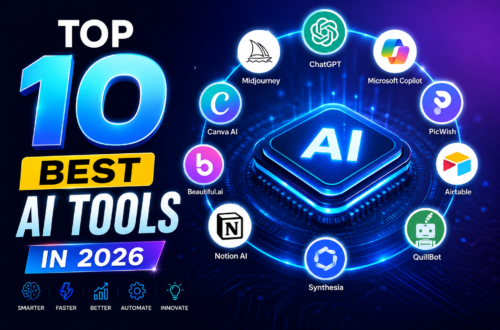
SEO Title: 10 Best AI Tools in 2026: The Ultimate Productivity Stack Ranked
The landscape of artificial intelligence has fundamentally shifted. We have officially moved past the era of novelty chatbots that spit out generic paragraphs. In 2026, the best AI tools are no longer standalone text boxes; they are active work environments, native execution spaces, and deeply integrated agents that work alongside you.
Whether you are a developer practicing “vibe coding” (building full applications entirely through natural language commands), a researcher processing multi-thousand-page corporate filings, or a business leader looking to eliminate administrative friction, your choice of tech stack matters.
This guide breaks down the 10 best AI tools dominating workflows right now, backed by concrete testing data, distinct pricing breakdowns, and real-world utility frameworks tailored for professionals.
The Master Stack: 2026 AI Tools at a Glance
If you only have time for a quick overview, this table outlines where the industry giants and specialized newcomers sit across performance metrics and price points.
| Tool | Primary Category | Best For | Entry Pricing (2026) |
| ChatGPT | General Assistant | Versatile multi-modal tasks & everyday automation | Freemium; Plus at $20/month |
| Claude | Creative/Reasoning | Long-context analysis, clean coding, and human-like prose | Freemium; Pro at $20/month |
| Perplexity AI | Knowledge/Search | Source-verified web research & breaking information | Freemium; Pro at $20/month |
| Google Gemini | Workspace Integration | Handling massive text loads (up to 2M tokens) & Deep Research | Freemium; Advanced at $19.99/month |
| Cursor | Software Development | AI-native code editing with deep codebase awareness | Freemium; Pro at $20/month |
| NotebookLM | Data Synthesis | Grounding AI strictly inside your uploaded documents | Free |
| ElevenLabs | Audio Generation | Voice localization, realistic narration, & sound design | Freemium; Paid plans from $5/month |
| Google Veo | Video Creation | Cinematic, hyper-realistic, or abstract video generation | Freemium; Paid tiers from $19.99/month |
| Midjourney v7 | Graphic Design | High-fidelity commercial mockups & creative artwork | Paid plans starting at $10/month |
| Granola | Meeting Intelligence | Zero-friction, context-aware meeting synthesis | Freemium; Pro at $10/month |
Deep Dive: The 10 Best AI Tools of 2026
1. OpenAI ChatGPT
If you had to choose a single, all-purpose foundational environment, ChatGPT remains the most versatile ecosystem. In 2026, ChatGPT feels less like a conversational application and more like a computational operating system. Powered by OpenAI’s mature reasoning-focused architecture, it seamlessly handles advanced planning, data execution, and native multi-modal operations.
Key Features: Advanced code execution environments, persistent cross-chat memory, and complex task multi-step planning loops.
Why It Wins: Its ability to jump between building a Python data scraper, drafting a policy document, and instantly generating an accurate companion schematic is unmatched.
The Bottom Line: Use this as your baseline general workspace.
2. Anthropic Claude
While other systems prioritize raw speed or endless feature expansion, Anthropic has focused Claude tightly on pristine context handling, exceptional reasoning, and prose that reads as if it were genuinely written by a human. It avoids the repetitive, overly polished “AI-speak” structural traps that plague lesser models.
Key Features: Artifacts (dedicated side-windows for rendering web apps, graphics, and interactive documents in real-time) and an incredibly clean coding framework.
Why It Wins: If you feed Claude a 300-page corporate manual, its structural breakdown won’t just list highlights; it will deduce implicit systemic operational risks.
The Bottom Line: The definitive choice for long-form writing, serious software architecture design, and heavy analytical reading.
3. Perplexity AI
Traditional search engines feel slow, disorganized, and cluttered by comparison once you adopt an answer-engine routine. Perplexity has systematically re-engineered how professionals look up information on the live web. Instead of serving you a list of 10 search engine optimized links that force you to dig for answers, Perplexity reads the pages for you, cross-references facts, and writes a fully cited research synthesis.
Key Features: Real-time web index scanning, persistent Pro Spaces for organizing distinct research subjects, and deep academic paper indexing.
Why It Wins: It eliminates the cognitive load of clicking through ad-heavy articles just to answer a straightforward question.
The Bottom Line: A non-negotiable tool for market researchers, journalists, and continuous technical learners.
4. Google Gemini (with Deep Research)
Google has achieved major breakthroughs with Gemini by leveraging two unfair advantages: an massive 2-million token context window and seamless integration across the entire Google Workspace infrastructure (Docs, Drive, Gmail, and Android).
Key Features: Deep Research protocols that execute hours of autonomous multi-step web scanning to deliver highly structured, detailed multi-page PDF trend reports.
Why It Wins: The structural capability to safely drop three entire textbooks or hours of high-definition video into the context window and map semantic links across them instantly.
The Bottom Line: Best for enterprise teams deeply embedded in Google Cloud ecosystems who work with sprawling multi-modal data sets.
5. Cursor
Software engineering changed forever when AI shifted from simple inline text autocomplete to structural workspace context. Cursor is an open-source-based, AI-native fork of Visual Studio Code that has revolutionized how developers build digital tools. It has popularized “vibe coding”—allowing users to build, refactor, and test full applications using natural conversational language.
Key Features: Comprehensive codebase indexing (
@Codebase), instant multi-file code editing, and integrated real-time debugging terminal execution.Why It Wins: It reads your entire project folder layout, understands how a minor database alteration affects a frontend display element three folders over, and rewrites both instantly.
The Bottom Line: An absolute must-have for modern developers, from absolute beginners to elite enterprise software architects.
6. NotebookLM
NotebookLM is Google’s hidden jewel. It is a completely free, highly tailored knowledge management system designed for complete data privacy and total informational control. Unlike general chatbots that pull information from their vast, generic training data, NotebookLM locks its focus exclusively to the specific source documents you explicitly upload.
Key Features: Source-grounded inline citations, automated study guide preparation, and the viral Audio Overview tool (which transforms raw text sources into hyper-realistic, dual-host podcast conversations).
Why It Wins: It strictly avoids hallucination (making up false information) because it refuses to pull context from outside your uploaded files. If a fact isn’t in your text, it plainly tells you.
The Bottom Line: The premier platform for students, legal professionals, and medical researchers synthesizing complex internal data stacks safely.
7. ElevenLabs
In the audio synthesis market, ElevenLabs has retained its position as the clear industry leader. The platform generates voice files that capture the precise micro-nuances of human speech: breath placement, contextually appropriate vocal gravel, subtle pacing shifts, and deep emotional resonance.
Key Features: High-fidelity voice cloning, real-time speech-to-speech inflection matching, sound effect generation, and automatic audio localization across dozens of languages.
Why It Wins: It has eliminated the flat, sterile, robotic cadence historically associated with standard text-to-speech tools.
The Bottom Line: Ideal for video game designers, audiobook publishers, and global content creators looking to localize media instantly.
8. Google Veo
The generative video race has entered a highly cinematic phase. Google Veo stands out for its high-fidelity video production capabilities, generating crisp high-definition video clips from basic text or image prompts.
Key Features: Extreme consistency across frames, physically accurate lighting models, complex camera motion controls, and integrated sound effect generation.
Why It Wins: While earlier video tools suffered from strange visual morphing or drifting distortions, Veo retains crisp object definition during fluid camera pans.
The Bottom Line: The optimal generator for marketing agencies, rapid storyboard visualization, and social media production teams.
9. Midjourney v7
For static visual creation, graphic concept art, and commercial product mockup generation, Midjourney v7 continues to hold the absolute aesthetic crown. It has refined its natural language understanding to move away from complicated, highly technical prompting “hacks” toward intuitive conversational art direction.
Key Features: High-fidelity text rendering within images, precision region editing (Inpainting), absolute style consistency mapping, and professional-grade aspect ratio tailoring.
Why It Wins: It consistently delivers rich, artistically sophisticated compositions rather than generic, flat stock-photography styles.
The Bottom Line: The benchmark tool for creative directors, UI/UX designers building mood boards, and digital marketing illustrators.
10. Granola
While bulky video meeting bots often crowd calls and cause unnecessary performance lag, Granola has captured a massive professional user base by working as a quiet, local, lightning-fast application layer. It focuses purely on turning real-time internal audio into hyper-accurate, structurally customized post-meeting documentation.
Key Features: Zero-bot presence (it runs quietly on your machine background), proactive template mapping, and conversational search capabilities across your entire historical meeting catalog.
Why It Wins: It doesn’t just write down every word spoken verbatim; it extracts deep intent, filters out distracting small talk, and formats action items into clean, professional markdown files.
The Bottom Line: The definitive meeting assistant tool for product managers, executives, and remote team leads.
Strategic Implementation: Choosing Your Stack
You do not need subscriptions to all ten of these platforms to be highly productive. Over-subscribing creates unnecessary digital clutter and drains your monthly budget. Instead, map your selection to your primary professional outputs.
The Power-User Strategy: For the vast majority of digital professionals, a baseline productivity engine consists of pairing ChatGPT or Claude (for deep generation work) with Perplexity AI (for comprehensive real-time knowledge discovery), and layering a specialized workflow engine like Cursor (if you code) or Granola (if your day is dominated by client meetings).
The competitive advantage in 2026 does not belong to the people who simply use AI; it belongs to the people who understand exactly which tool fits the precise cognitive demands of the task at hand. Focus on matching tool strengths to your day-to-day bottlenecks, experiment with free tiers, and systematically build a custom workflow that treats these systems as active extensions of your own thinking.