Android Automation App: Everything You Need to Know
Introduction
Smartphones have become an essential part of our daily lives. From sending messages and managing emails to controlling smart home devices, Android phones help us complete countless tasks every day. However, repeating the same actions over and over can be time-consuming. This is where an Android automation app becomes useful.
An Android automation app allows users to automate routine tasks on their devices. Instead of manually performing actions such as turning on Wi-Fi, sending messages, launching apps, or adjusting settings, automation apps can handle these tasks automatically based on specific triggers and conditions.
In this guide, we’ll explain what Android automation apps are, how they work, their benefits, popular examples, and how to choose the best one for your needs.
What Is an Android Automation App?
An Android automation app is software designed to automate actions and workflows on Android devices. These apps perform predefined tasks automatically when certain conditions are met.
For example:
- Turn on Wi-Fi when arriving home.
- Enable silent mode during work hours.
- Automatically send a text message when battery level is low.
- Launch music apps when headphones are connected.
- Back up photos to cloud storage automatically.
The goal of automation is to save time, reduce manual effort, and improve productivity.
Why People Use Android Automation Apps
Many smartphone users perform repetitive tasks every day. Manually handling these actions can become frustrating and inefficient.
Automation apps help by:
Saving Time
Instead of repeating the same actions daily, automation apps complete them automatically.
Increasing Productivity
Users can focus on important activities while routine tasks happen in the background.
Reducing Human Error
Automated workflows follow predefined rules, reducing mistakes caused by forgetting certain actions.
Improving Battery Life
Automation can disable unnecessary services such as Bluetooth, GPS, or Wi-Fi when they are not needed.
Enhancing Convenience
Your phone adapts to your routine automatically, creating a smarter user experience.
How Android Automation Apps Work
Most Android automation apps operate using three basic components:
1. Trigger
A trigger is the event that starts an automation.
Examples:
- Location change
- Time of day
- Battery level
- App opening
- Bluetooth connection
2. Condition
Conditions determine whether the automation should run.
Examples:
- Battery below 20%
- Connected to home Wi-Fi
- Specific day of the week
3. Action
Actions are the tasks performed automatically.
Examples:
- Send a message
- Turn on Wi-Fi
- Open an app
- Change volume settings
- Enable dark mode
Together, these components create powerful automated workflows.
Popular Android Automation Apps
Several automation apps are available for Android users.
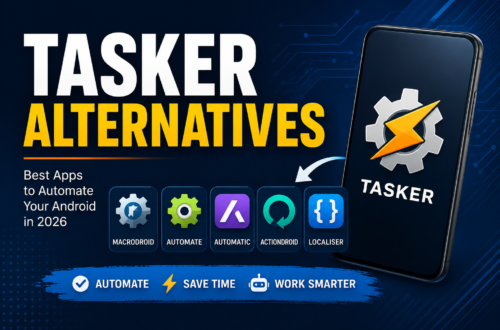
Tasker
Tasker is one of the most advanced Android automation apps available. It offers extensive customization options and supports thousands of automation scenarios.
Features include:
- Location-based automation
- Voice commands
- App control
- Device setting management
- Custom workflows
MacroDroid
MacroDroid is known for its user-friendly interface. It is ideal for beginners who want automation without a steep learning curve.
Features:
- Easy setup
- Hundreds of templates
- Battery-friendly operation
- Quick automation creation
Automate
Automate uses a flowchart-based system that visually represents automation processes.
Features:
- Visual workflow builder
- Advanced automation
- Cloud integration
- Device control
IFTTT
IFTTT (If This Then That) connects Android devices with online services and smart home products.
Features:
- Smart home integration
- Social media automation
- Cloud services support
- Cross-platform workflows
Common Uses for Android Automation Apps
Here are some practical examples:
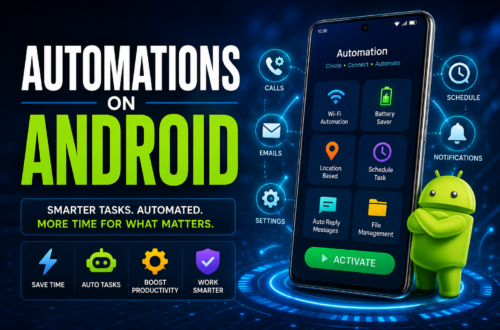
Smart Home Control
Automatically turn lights on or off when arriving home.
Automatic Text Messages
Send automated replies while driving or during meetings.
Battery Optimization
Disable power-hungry features when battery levels drop.
Daily Reminders
Receive reminders for medication, exercise, or appointments.
File Backup
Automatically upload photos and documents to cloud storage.
Driving Mode
Enable navigation, Bluetooth, and music when connected to your car.
Benefits of Using Android Automation Apps
Better Efficiency
Automation reduces repetitive work and streamlines daily tasks.
Enhanced Device Management
Control settings automatically based on your environment and schedule.
Personalized Experience
Create custom routines tailored to your lifestyle.
Improved Productivity
Spend less time adjusting settings and more time completing important tasks.
Reduced Stress
Automation helps ensure important tasks are never forgotten.
Are Android Automation Apps Safe?
Most reputable automation apps are safe when downloaded from trusted sources.
To stay secure:
- Download apps from the Google Play Store.
- Review permissions carefully.
- Avoid unknown third-party APK files.
- Read user reviews before installing.
Because automation apps often require access to device settings, permissions should be granted only when necessary.
How to Choose the Best Android Automation App
Consider the following factors:
Ease of Use
Beginners may prefer MacroDroid, while advanced users might choose Tasker.
Features
Check whether the app supports the automations you need.
Compatibility
Ensure the app works with your Android version and device.
Community Support
Popular apps usually have tutorials, forums, and active user communities.
Pricing
Some automation apps are free, while others offer premium features through paid versions.
Future of Android Automation
As artificial intelligence continues to improve, Android automation apps are becoming smarter. Future automation solutions may learn user behavior, predict actions, and create workflows automatically without requiring manual setup.
AI-powered automation could soon make Android devices more intelligent, efficient, and personalized than ever before.
Conclusion
An Android automation app can transform the way you use your smartphone. By automating repetitive tasks, improving productivity, and creating personalized workflows, these apps help users save time and enjoy a more efficient mobile experience.
Whether you’re a beginner looking for simple automations or an advanced user wanting complete control over your device, there’s an Android automation app that fits your needs. Apps like Tasker, MacroDroid, Automate, and IFTTT provide powerful tools to make your Android device work smarter, not harder.
Frequently Asked Questions (FAQs)
1. What is an Android automation app?
An Android automation app automatically performs tasks on your phone based on specific triggers, conditions, and actions.
2. Which is the best Android automation app?
Tasker is often considered the most powerful, while MacroDroid is one of the easiest for beginners.
3. Are Android automation apps free?
Many offer free versions, but advanced features may require a paid upgrade.
4. Can automation apps save battery life?
Yes. They can automatically disable features like Bluetooth, GPS, and Wi-Fi when not needed.
5. Is Tasker difficult to use?
Tasker has a learning curve, but it offers unmatched customization and flexibility.
6. Can Android automation apps send automatic text messages?
Yes. Many automation apps can send messages automatically based on triggers such as time, location, or specific events.
7. Are Android automation apps safe to install?
Yes, provided they are downloaded from trusted sources like the Google Play Store and permissions are reviewed carefully.