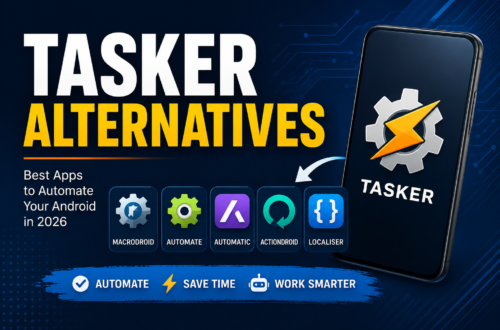
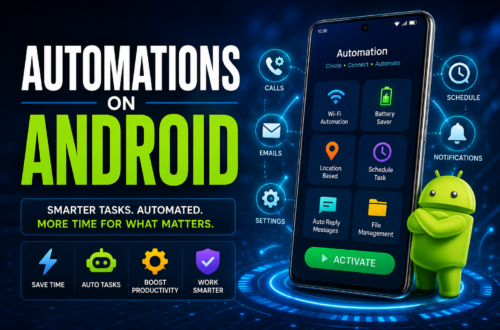
Tasker is still a favorite among people who really like to get into the details of Android automation. It can be really tough to use for most people. The interface is very technical. It takes a lot of time to figure out how to set up the things you want. You often have to spend hours trying things and making mistakes to get Tasker to do what you want it to do. You might even need to use scripts or get permission from your computer or have full control over your device just to get it to do simple things.
If you want to make your device easier to use without all the trouble there are now some great tools for Android that are much simpler. These tools use pictures to show you what to do. You can just drag and drop things to make them work. They also come with templates that are already set up for you. So if you want to turn your Wi-Fi on and off when you’re in Specific locations or filter out Specific messages or even control your smart home devices here are 7 great Tasker alternatives for Android automation that are good for everyone to use no matter how good you are, with technology.
Why Look for a Tasker Alternative?

Tasker is undeniably powerful, but it often requires root access, complex Android Debug Bridge (ADB) commands, or advanced scripting logic to unleash its full potential. Most Android users look for alternatives due to three primary factors:
User Experience: Modern Tasker alternatives feature intuitive drag-and-drop interfaces, visual flowcharts, and guided setup wizards that eliminate the steep learning curve.
Targeted Use Cases: Certain tools specialize in hyper-focused tasks like notification filtering or smart home cloud triggers rather than overwhelming system-level tweaks.
Setup Speed: Building a basic automation rule should take two minutes, not two hours of technical troubleshooting.
3 Core Reasons Users Switch
+------------------+--------------------------------------------------------+
| Key Factor       | Advantage of Modern Tasker Alternative                   |
+------------------+--------------------------------------------------------+
| 1. Ease of Use   | Ease of Use You can build things visually the interface is clean and you do not have to write code    |
| 2. Specialization| Some tools are really good at things, like notifications, webhooks or smart homes     |
| 3. Fast Setup    | You can use templates that other people have made and set things up right away        |
+------------------+--------------------------------------------------------+
By switching to a modern alternative, you can streamline your Android workflow instantly—getting all the power of automation without the technical headache.
Deep Dive: Top 7 Tasker Alternatives

1. MacroDroid – Best Overall for Beginners
MacroDroid brings together device automation with an easy Bring about-Constraint setup wizard and a wide Public template store for quick use.
2. Automate (by LlamaLab) – Best Visual Step-by-step diagram Engine
Create logic in a visual way using more than 300 building blocks. Its visual flowchart connectors make conditional loops simple without writing a single line of code.
3. IFTTT – Best for Web & Smart Home
It is unmatched when it comes to -platform triggers. IFTTT connects Android system events directly to cloud applets, webhooks, Google Assistant and IoT smart home devices.
4. AutomateIt – Best for Simple Daily Rules
A rule engine built for fast hardware switches such as location-based Wi-Fi toggles, battery saver triggers and car Bluetooth auto-connect routines.
5. Buzzkill – Best for Notification Automation
A tool made to handle notifications. It is easy to set up cooldown timers, custom vibration patterns and automatic alert restorations.
6. E-Robot – Best Free Power-User Option
Supporting than 100 event types E-Robot provides a lot of customization, sound profiles and exact location triggers for users looking for a free highly customizable engine.
7. Apple Shortcuts – Alternative, for iOS Cross-Users
For people who use multiple devices or are moving to iOS Apple Shortcuts offers strong Siri integration NFC tag triggers and native system workflows.
Buyer’s Guide: How to Pick the Right App

Choosing the ideal Android automation tool depends on three primary factors: technical skill level, trigger environment, and pricing model.
1. Skill Level Check
Beginners: MacroDroid offers the lowest barrier to entry with a straightforward setup wizard and ready-to-use community templates.
Visual Learners: Automate excels for users who prefer visual Flow diagram and block diagrams to build complex logic loops without writing code.
Power Users: E-Robot caters to advanced users who need deep system customization, complex Variable precursors, and Grainy control.
2. Hardware vs. Cloud Focus
On-device automation tools focus on managing local hardware toggles, Wi-Fi networks, and system settings directly. Cloud-focused platforms like IFTTT Focus in webhooks, smart home devices, and cross-platform app Combination.
3. Cost Structure
Free Tiers: MacroDroid and Automate provide generous free versions capped by rule or block limits.
One-Time Purchases: Independent apps usually offer one-time pro upgrades to unlock unlimited rules forever.
Subscriptions: Cloud services like IFTTT rely on monthly subscription plans for multi-step applets and Speedy delivery
Android Automation FAQs: MacroDroid vs. Tasker
Is MacroDroid easier to use than Tasker?
Yes. MacroDroid is easier to use than Tasker. MacroDroid has an simple interface that is easy to understand. This makes it perfect for people who’re new to Android automation. Tasker is not as easy to use as MacroDroid. Tasker has a lot of settings that can be hard to figure out.
MacroDroid uses blocks to help you create custom routines. These blocks are called Trigger, Action and Constraint. You can use these blocks to create custom routines in a few seconds. You do not need to write any scripts to use MacroDroid.
Can Tasker alternatives run in the background without draining the battery?
Yes. MacroDroid and other automation tools can run in the background without using much battery. They only work when they need to so they do not waste battery power.
To save battery power you should avoid using scripts that check things often. For example you should not check your location every minute. This can make your phone use much battery power.
Do I need root access to use Tasker alternatives?
No. You do not need root access to use MacroDroid or other Tasker alternatives. These apps can do things without root access. You can use them to turn Wi-Fi on and off change your settings, open apps and control your notifications.You only need root access or special permissions if you want to make changes, to your phones system.