Tasker vs MacroDroid 2026: Which Automation App Is Better?
If you have ever wished your Android phone could automatically read your mind—silencing itself when you step into a meeting, turning on Wi-Fi the moment you pull into your driveway, or sending an automated text when you leave work—you have likely come across two legendary names: Tasker and MacroDroid.
Both apps are absolute powerhouses in the Android ecosystem. Both have passionate, loyal communities on Reddit and tech forums who will gladly defend their app of choice down to the last line of logic. But as Android continues to evolve with tighter security controls, background restrictions, and smart integrations, deciding between them isn’t quite as straightforward as it used to be.
So, if you are asking yourself, Tasker vs MacroDroid 2026: Which Automation App Is Better?, the honest answer is that it depends entirely on your technical comfort level and what you want your phone to do. In this guide, we break down their features, ease of use, logic capabilities, battery impact, pricing, and overall performance so you can pick the perfect automation assistant for your phone.
What Are Tasker and MacroDroid?
Before jumping into head-to-head comparisons, let’s take a quick look at what each app actually offers.
+-----------------------------------------------------------------------+
|                           ANDROID AUTOMATION                          |
+-----------------------------------+-----------------------------------+
|              TASKER               |            MACRODROID             |
|  • Rules-Based Architecture       |  • Trigger-Action-Constraint      |
|  • Steep Learning Curve           |  • Beginner-Friendly Interface    |
|  • Endless Customization & Logic  |  • Pre-Built Community Templates  |
|  • Ideal for Power Users          |  • Ideal for Quick, Daily Tasks   |
+-----------------------------------+-----------------------------------+
Tasker: The Swiss Army Knife
Tasker has been the gold standard for Android customization since 2010. It treats your operating system like a playground, allowing you to construct intricate scripts, build custom user interfaces (called Scenes), and export standalone apps via Tasker App Factory. It operates around Profiles (conditions or triggers) and Tasks (the actions to take).
MacroDroid: The Streamlined Assistant
MacroDroid took a completely different approach to smartphone automation. Instead of throwing you into a sea of developer-centric menus, MacroDroid builds routines around a straightforward concept: Triggers, Actions, and Constraints. It gives you plain-English options, wizard-style walkthroughs, and a clean interface that lets you build working routines in minutes.
Is MacroDroid good?
Absolutely. For 90% of everyday users who want fast, reliable phone tweaks without learning script logic or messing with complex variables, MacroDroid isn’t just good—it’s often the best choice available.
Ease of Use: Is Tasker Better Than MacroDroid for Beginners?
When comparing onboarding and daily usability, the contrast between these two apps could not be starker.
Tasker Onboarding Curve:     [Low] -------> [Medium] -------> [Steep!] 🧠
MacroDroid Onboarding Curve: [Smooth] -----> [Intuitive] ----> [Easy] 🚀
MacroDroid’s Beginner-Friendly Setup
MacroDroid is designed for instant gratification. When you open the app, you are greeted by large, colorful tiles and a searchable menu. Creating a “Macro” takes just three guided steps:
Choose a Trigger: (e.g., Headphones connected, Battery drops below 20%, or Arrive at location).
Choose an Action: (e.g., Launch Spotify, Lower screen brightness, or Send SMS).
Add Constraints (Optional): (e.g., Only on weekdays, or Only if Wi-Fi is disconnected).
Furthermore, MacroDroid features an active Community Template Store. If you want your phone to read text messages out loud while driving, you don’t even have to build it—you can simply search the template library, tap “Add,” and you’re done.
Tasker’s Steep Learning Curve
So, is Tasker better than MacroDroid when it comes to user experience? For beginners, definitely not.
Tasker’s interface is functional, but it assumes you understand boolean logic, system contexts, and how variables operate. Creating a profile requires setting up contexts, naming tasks, managing entry and exit actions, and verifying permission flags. While TaskerNet makes sharing profiles easier than in years past, the initial setup still feels overwhelming to anyone who isn’t a dedicated tinkerer.
Winner for Ease of Use: MacroDroid
Feature Deep Dive: Tasker vs MacroDroid 2026 Which Automation App Is Better Android Power Users Want?
While MacroDroid wins on simplicity, power users care about depth, granular permissions, and flexibility. This is where the debate surrounding Tasker vs MacroDroid 2026 which automation app is better Android enthusiasts use gets interesting.
       TASKER                              MACRODROID
  [Full Regex & Math]                 [Grouped Logic]
  [HTTP Request / API]                [Basic Webhooks]
  [Custom UI Scenes]                  [Floating Buttons]
  [App Factory Export]                [Import/Export Files]
  [Deep Shizuku / ADB]                [Shizuku Support]
Complex Logic, Variables, and Custom APIs
Tasker shines when your automation needs branching logic. It handles:
Complex Variables & Arrays: Parse multi-line arrays, run regular expressions (regex), perform math calculations, and pass sub-task parameters.
Web APIs & HTTP Requests: Pull real-time weather, crypto prices, or smart home data from REST APIs and parse the JSON payload directly into variables.
Custom User Interfaces: Build interactive overlay controls, custom pop-ups, and floating toolbars directly on your screen using Scenes.
Tasker App Factory: Convert your custom tasker projects into standalone
.apkfiles that you can share or install on other devices.
MacroDroid has added support for variables, basic webhooks, and grouped logic over the years, but its branching capabilities remain linear. If you try to build a macro with dozens of nested conditions, the interface can become cluttered and difficult to manage.
Modern Android Security & Permissions (Shizuku / ADB)
Android modern security settings place strict limits on background services, background location access, and system setting toggles.
Both apps integrate with Shizuku—a tool that grants elevated system permissions using Android’s Wireless ADB debugging—without requiring root access. However, Tasker gives you deeper access to custom ADB shell commands, Java functions, and system intents, giving you near-total control over your device if you know how to write the commands.
Winner for Raw Power: Tasker
Battery Efficiency: Macrodroid vs Tasker Battery Drain Explained
Battery life is one of the biggest concerns for anyone running automation tools in the background. A poorly configured background app can silently drain your battery throughout the day.
When analyzing Macrodroid vs tasker battery drain, the reality comes down to how each app handles background checks and triggers.
Battery Drain Factors:
• Event-Based Triggers (Bluetooth connected, SMS received)  ➜ Very Low Battery Impact 🟢
• Continuous Polling (Checking GPS location every 30 sec)    ➜ High Battery Impact 🔴
• Sensor Checks (Continuous Light/Proximity checks)        ➜ Moderate Battery Impact 🟡
Why MacroDroid Feels More Efficient Out of the Box
MacroDroid is designed with strict battery safeguards. Its default triggers prioritize event-driven listeners (like system intents) over continuous background polling. It explicitly warns you if a trigger (such as frequent GPS location checks or constant screen scanning) is likely to impact battery life.
The Truth About Tasker’s Battery Usage
Tasker is not inherently a battery hog, but it gives you enough rope to hang yourself. Because Tasker lets you set polling intervals down to the second, a beginner might accidentally set a task to check high-accuracy GPS every 30 seconds or keep a sensor active constantly.
However, if configured correctly—using event-based triggers, geofences, and cellular tower IDs instead of active GPS—Tasker can run on less than 1% of total battery per day.
The Takeaway: MacroDroid is safer for casual users because its default settings protect battery life out of the box. Tasker requires proper setup discipline to avoid unnecessary battery drain.
Pricing, Free Version Limits, and Alternatives
Here is how both applications compare in terms of pricing structure:
| Feature / Detail | Tasker | MacroDroid |
| Pricing Model | One-time purchase (~$3.49) | Free Tier / Pro Upgrade (~$5.99 one-time) |
| Free Version | 7-day trial via official website | Free (Up to 5 Macros) |
| In-App Ads | None | Ads on free tier |
| Plugin Support | Full AutoApps & Tasker Plugin support | Supports Tasker Plugins natively |
| App Store Rating | 4.4 / 5 Stars | 4.5 / 5 Stars |
Looking for a MacroDroid Alternative Free Option?
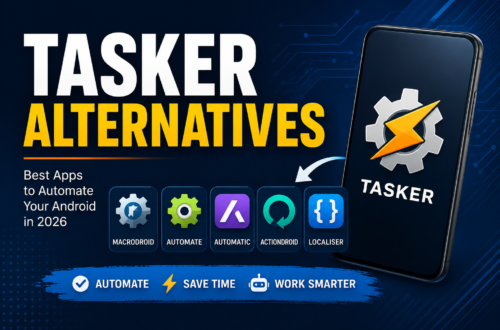
If you like the idea of automation but want a free, visual alternative, consider Automate by LlamaLab.
As a MacroDroid alternative free option, Automate uses a visual flowchart format where you connect blocks with logical arrows. Its free tier is generous (allowing up to 30 blocks per flow before requiring a premium upgrade), making it a great middle-ground choice for visual thinkers.
Real-World Scenarios: Which App Should You Pick?
To help you decide, let’s look at a few common real-world use cases:
Scenario 1: The Everyday Commuter
Goal: Turn on Bluetooth, launch a navigation app, and set media volume to max whenever the phone connects to car Bluetooth.
Best Choice: MacroDroid. You can set this up in under 60 seconds using MacroDroid’s built-in wizard.
Scenario 2: The Smart Home & API Enthusiast
Goal: Parse incoming weather alerts, run a script that calculates solar panel output via an external API, and trigger a Home Assistant webhook when you return home.
Best Choice: Tasker. Tasker’s HTTP Request handling, JSON parsing, and variable arrays make complex API tasks simple to run.
Scenario 3: Protecting Device Privacy & System Toggles
Goal: Automatically revoke camera permissions, enable Do Not Disturb during calendar events, and toggle dark mode at sunset.
Best Choice: Either App. Both apps execute calendar checks and system toggles seamlessly using Shizuku permissions.
Tasker vs MacroDroid 2026: Which Automation App Is Better? (Final Verdict)
When deciding Tasker vs MacroDroid 2026: Which Automation App Is Better?, there is no single winner—only the right tool for your specific workflow.
                     WHICH SHOULD YOU CHOOSE?

       BUY MACRODROID IF:               BUY TASKER IF:
    • You want fast results         • You love tinkering
    • You prefer clean menus        • You know code/logic
    • You want pre-made macros      • You want API integration
    • You want zero setup friction  • You want total device control
Choose MacroDroid if: You want a clean, user-friendly app that automates daily routines in minutes. Its intuitive template store, low learning curve, and reliable defaults make it the best choice for most Android users.
Choose Tasker if: You view your phone as a programmable computer. If you enjoy writing scripts, tinkering with APIs, building custom UI overlays, or controlling every single aspect of your system, Tasker remains the undisputed king of Android automation.
Whichever app you choose, automating your Android device in 2026 is one of the easiest ways to streamline your day, save time, and make your smartphone work for you.
For More Informations