Unlocking automations on android allows you to turn your smartphone into a self-managing assistant that handles repetitive daily tasks automatically. By setting trigger-based rules, you can save hours of manual tap-work while boosting productivity.
Now, imagine a different reality: you dismiss your alarm, and your phone automatically reads out the weather, launches your driving playlist, configures your screen brightness, and silences all notifications until you arrive at the office. This is not science fiction; it is the daily reality of mastering automations on android.
We live in an age where technology is supposed to serve us, yet we spend hours adjusting sliders, manually launching apps, and toggling settings. Fortunately, the open nature of the Android ecosystem allows you to eliminate these tedious tasks completely. By setting up smart workflows, your device transitions from a passive screen to an active, intelligent personal assistant. In this comprehensive guide, we will explore everything from built-in tricks to professional-grade tools that can revolutionize how you use your phone.
The Magic Already in Your Pocket: Built-In Android Automation
Before diving into complex third-party apps, it is important to realize that Google has built incredibly smart, context-aware systems directly into your operating system. Because these features work quietly in the background, many users do not even realize they exist. Enabling them is the easiest way to begin your journey.
1. Adaptive Battery: The Silent Guardian
One of the most powerful backend features on Android is Adaptive Battery. Instead of requiring you to manually hunt down and restrict battery-draining apps, this intelligent system studies your daily routine. Over time, it learns which apps you launch constantly and which ones sit untouched for weeks. It automatically restricts background resource usage for forgotten apps while ensuring your primary tools run seamlessly. Consequently, it gets smarter the longer you use your device, quietly saving your battery life without any manual intervention.
2. Location-Based Rules
Have you ever walked into an important business meeting only to have your phone blare out a loud ringtone? You can easily prevent this embarrassing situation using Google’s “Rules” feature, a staple of modern Android phones. This simple tool allows your phone to execute specific actions based on where you are. As a result, you can configure your phone to switch to silent mode automatically when you arrive at your office, and turn the ringer back up the second you pull back into your driveway at home. It completely removes the stress of remembering to manage your sound profiles.
3. Inactive Tabs in Chrome
For those who treat browser tabs like a messy filing cabinet, Chrome’s Inactive Tabs automation is a lifesaver. Instead of forcing you to manually review hundreds of open pages, Chrome automatically identifies tabs that have not been touched for 7 to 21 days and moves them to a separate section. They are not immediately deleted; however, if you still do not open them after three months, Chrome cleans them up for you. This keeps your browser running smoothly without cluttering your digital workspace.
4. Bedtime and Focus Modes
Many of us struggle with late-night screen time and workday distractions. Android’s Bedtime Mode tackles this issue by automating your wind-down process. At a scheduled hour, your phone will automatically enable Do Not Disturb, mute distracting notifications, and fade the screen to grayscale to reduce blue-light stimulation.
Similarly, Focus Mode allows you to temporarily pause distracting apps (like social media) on a strict schedule. This lets you build a distraction-free work environment automatically, meaning you do not have to rely on raw willpower to stay productive.
5. Live Captions
Another highly underrated built-in feature is Live Caption. When enabled, your phone uses local machine learning to generate real-time subtitles for any audio playing on your device—whether it is a video, podcast, or voice message. This is incredibly useful when you want to watch a video in public without headphones but do not want to disturb the people around you.
Supercharging Your Device with Android automation apps
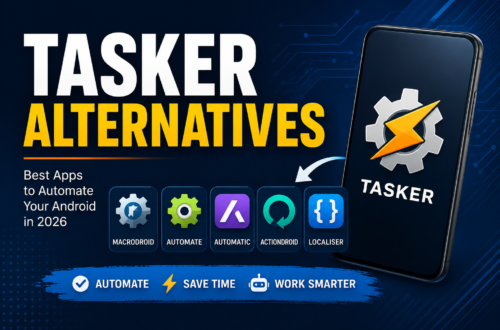
While the built-in tools are great for basic tasks, true power-users require advanced customization. Fortunately, the Google Play Store is home to incredibly robust Android automation apps that can control almost every facet of your hardware and software. Let us examine the heavy hitters in this space.
Tasker: The Advanced Powerhouse
For those who want absolute, granular control, Tasker is the undisputed gold standard of automations on android. It allows you to create highly complex tasks triggered by battery levels, network states, application launches, or time of day. While the learning curve is admittedly steep, its depth is unmatched. Advanced users can design automated systems that completely alter how their phone behaves under any imaginable condition.
MacroDroid: Accessibility and Simplicity
If Tasker feels too daunting, MacroDroid offers a much friendlier entry point. Utilizing a straightforward “Trigger-Action-Constraint” structure, it allows beginners to build their first automation within minutes. For example, you can easily configure your phone to auto-reply to text messages while driving or disable Wi-Fi automatically when your battery drops below 15%.
IFTTT: Connecting Your Digital World
While tools like Tasker excel at device-level settings, IFTTT (If This Then That) specializes in cross-platform communication. IFTTT connects your Android phone to over 1,000 external web services and smart home devices. For instance, you can use geofencing to log your work hours to a Google Sheet whenever you physically enter your office’s location, or program a home widget button to toggle your smart lights with a single tap.
Automate by LlamaLab: The Flowchart Revolution
If you are looking for the perfect middle ground between the absolute power of Tasker and the simplicity of MacroDroid, Automate is the ultimate solution. This brilliant app lets you build automations on android visually using a visual flowchart interface. Instead of writing complex scripts or navigating messy drop-down menus, you simply drag blocks onto a canvas and connect them with lines. It makes creating complex, multi-step automatic tasks a highly rewarding, visual experience.
Step-by-Step Guide: Automating Your Commute in Automate
Let us walk through a practical example using Automate by LlamaLab. We will build a flow that automatically disables your home Wi-Fi and turns on your Bluetooth for a seamless transition into your car’s stereo system the moment you leave your house.
Step 1: Install and Launch the App
First, download and open Automate from the Google Play Store. Tap the “Plus” (+) icon on the main screen to create a brand-new flow canvas.
Step 2: Add Your Location Trigger
Tap the menu icon, search for the Location at? block, and drag it onto your canvas. Double-click the block, set your home coordinates on the interactive map, and select “When exited.” Connect the “Go” pin of the “Flow Beginning” block to this location block.
Step 3: Toggle Wi-Fi and Bluetooth
Next, search for the Wi-Fi set state block and drag it onto the screen. Set its value to “Off”. Then, drag a Bluetooth set state block onto the canvas and set its value to “On”. Connect the “Yes” output of your location block to the input of the Wi-Fi block, and then link the Wi-Fi block’s output to the Bluetooth block.
Step 4: Save and Run
Give your flow a clear name (e.g., “Commute Mode”) and tap save. Grant the app any required system permissions (such as location and device settings access), then hit the “Start” button. Your flow is now live and waiting in the background!
Taking Control of Your Smart Home
Automation does not have to stop at the edge of your phone screen. By using Google Assistant Routines, you can easily bridge the gap between your mobile device and your living space. This integration allows you to trigger comprehensive smart home automation routines with a single phrase or physical action.
For example, saying “Hey Google, good morning” can instruct your phone to check your calendar, read the local news, turn on your compatible smart lights, and play your favorite morning playlist. Similarly, a Household Routine can set your thermostat and turn on your porch lights automatically at sunset. It creates a unified system where your phone acts as the central brain of your entire digital life.
Choosing the Right Android Automation App
To help you decide which tool best fits your style, we have put together a quick comparison table:
| Automation Tool | Interface Type | Learning Curve | Best For |
|---|---|---|---|
Google Rules | Simple Toggles | None | Basic location tasks (silent/vibrate) |
| MacroDroid | Text-Based Lists | Easy | Quick, everyday device triggers |
LlamaLab Automate | Visual Flowchart | Medium | Highly visual, multi-step system workflows |
| Tasker | Complex Lists/Scripts | Hard | Advanced system tweaks and power-users |
| IFTTT | Applet Cards | Easy | Web services & smart home integrations |
🚀 Stop Wasting Time on Repetitive Tasks!
You deserve a smartphone that actually works for you, saving you valuable hours every single week. By upgrading to a premium automation license, you unlock unlimited power. Whether it is purchasing the full version of Tasker, subscribing to IFTTT Pro, or unlocking unlimited blocks in Automate Premium, you are investing in your own peace of mind.
These affordable upgrades give you the freedom to build complex, multi-layered flows with zero restrictions, robust community support, and ad-free experiences. Take charge of your technology today and buy with confidence!
Frequently Asked Questions
1. What is the easiest way to start with automations on android?
The easiest way is to use built-in tools like Google’s “Rules” or “Focus Mode” in your settings, or install MacroDroid, which offers pre-built templates for beginners.
2. Do I need to root my phone to use advanced automation apps?
No, most advanced automation features do not require root. However, a few deeply-integrated system settings might require granting secure permissions via ADB (Android Debug Bridge) using a computer.
3. Is Tasker better than LlamaLab Automate?
Tasker is slightly more powerful for developer-level tasks, but Automate is widely preferred because its visual flowchart interface makes complex flows much easier to read, design, and troubleshoot.
4. How does running automation apps affect my phone’s battery?
Modern automation apps are highly optimized. Unless you configure rapid, constant GPS tracking triggers, their background power consumption is incredibly negligible.
5. Can I share the automation flows I create with other users?
Yes! Apps like Automate and Tasker have massive built-in community hubs where you can upload your custom flows or download pre-made solutions instantly.
Conclusion
Ultimately, your smartphone should adapt to your habits, not the other way around. By embracing the power of automations on android, you can banish the friction of manual configuration and give yourself the gift of a phone that runs itself. From quiet, built-in battery management features to visually stunning, custom-designed flows in Automate, the tools are right at your fingertips. Do not settle for a basic, manual routine anymore. Invest in a premium tool today, configure your first trigger, and watch your phone transform into an elegant, automated powerhouse that works tirelessly on your behalf.