








Android Application Automation: Complete Guide for Beginners in 2026
Android smartphones have become an essential part of our daily lives. From sending emails and managing finances to shopping online and controlling smart home devices, Android applications handle countless tasks every day. As apps become more advanced, developers and businesses need faster ways to test, manage, and automate repetitive processes. This is where Android application automation becomes extremely valuable.
Whether you’re an Android developer, QA tester, business owner, or simply interested in automation, understanding Android application automation can help save time, reduce errors, and improve application quality.
In this comprehensive guide, you’ll learn what Android application automation is, why it’s important, the best automation tools, common use cases, and how to get started.
What Is Android Application Automation?
Android application automation is the process of using software tools, scripts, or frameworks to perform repetitive tasks inside Android applications without manual intervention.
Instead of manually tapping buttons, entering text, or verifying app functionality repeatedly, automation software performs these tasks automatically.
Automation is commonly used for:
- App testing
- UI testing
- Functional testing
- Performance testing
- Business workflow automation
- Device management
- Repetitive user actions
It significantly reduces manual work while increasing testing accuracy and speed.
Why Is Android Application Automation Important?
Modern Android applications receive frequent updates. Every update can introduce bugs or unexpected issues.
Manual testing every feature after each update can take days or even weeks.
Automation solves this problem by running predefined test cases automatically.
Major benefits include:
- Faster testing
- Better software quality
- Reduced human errors
- Lower development costs
- Continuous integration support
- Faster app releases
- Improved customer experience
Large companies automate thousands of Android tests every day before releasing updates.
The Growing Need for Android Automation
Android devices come in thousands of combinations:
- Different screen sizes
- Different manufacturers
- Various Android versions
- Multiple hardware configurations
Testing manually across all these devices is nearly impossible.
Automation helps developers ensure compatibility across multiple Android environments.
Common Problems Without Automation
Many development teams struggle with:
Time-consuming manual testing
Every feature must be checked repeatedly.
Human mistakes
People naturally miss small bugs.
Slow release cycles
Manual testing delays product launches.
Inconsistent testing
Different testers may perform tests differently.
Increased costs
Hiring large QA teams becomes expensive.
Automation addresses all these challenges effectively.
Types of Android Application Automation
1. UI Automation
UI automation tests the graphical interface.
Examples include:
- Button clicks
- Login forms
- Navigation
- Menus
- Text input
- Scrolling
- Notifications
2. Functional Automation
Functional automation checks whether app features work correctly.
Examples:
- User registration
- Login
- Payment process
- Search functionality
- Profile updates
3. Regression Testing
Regression tests ensure new updates don’t break existing features.
Developers run these tests after every code change.
4. Performance Automation
Performance automation evaluates:
- Speed
- Memory usage
- CPU consumption
- Battery usage
- Network performance
5. API Automation
Many Android apps communicate with servers.
API automation verifies:
- Server responses
- Authentication
- Data accuracy
- Error handling
Popular Android Automation Tools in 2026
Several powerful tools simplify Android application automation.
1. Appium
Appium remains one of the most popular open-source mobile automation frameworks.
Features:
- Cross-platform support
- Supports Android and iOS
- Multiple programming languages
- Selenium integration
Best for:
- Mobile application testing
2. UI Automator
Google developed UI Automator specifically for Android testing.
Advantages:
- Native Android support
- Device interaction
- System application testing
3. Espresso
Espresso is Google’s recommended framework for Android UI testing.
Benefits:
- Fast execution
- Reliable testing
- Easy integration with Android Studio
4. Robot Framework
Robot Framework offers keyword-driven automation.
Ideal for:
- Acceptance testing
- Functional testing
- Business automation
5. Selenium with Android
Although Selenium primarily targets web applications, it can also automate Android browsers and hybrid applications.
Android Automation Beyond Testing
Automation isn’t limited to developers.
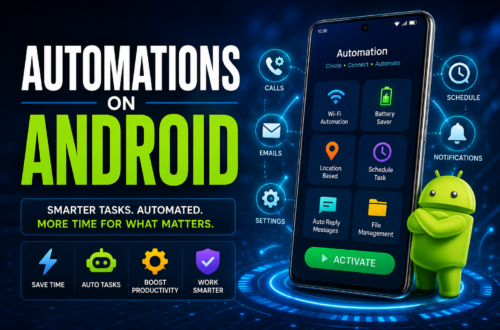
Many Android users automate daily tasks using automation apps.
Examples include:
- Automatically enabling Wi-Fi at home
- Turning on Bluetooth in the car
- Launching apps at specific times
- Sending scheduled SMS
- Auto-replying to messages
- Battery-saving routines
- Smart home automation
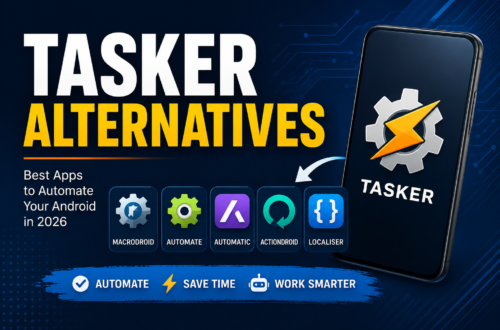
Popular Android automation apps include:
- MacroDroid
- Tasker
- Automate
- IFTTT
These apps require little or no coding.
How Android Automation Works
Most automation follows these steps:
Step 1
Identify repetitive tasks.
Example:
Testing user login.
Step 2
Create automation scripts.
These scripts simulate user interactions.
Step 3
Execute automation.
The automation framework performs every action automatically.
Step 4
Generate reports.
Results show:
- Passed tests
- Failed tests
- Screenshots
- Logs
- Performance metrics
Benefits of Android Application Automation
Faster Testing
Automation executes hundreds of tests in minutes.
Improved Accuracy
Scripts perform identical steps every time.
Cost Savings
Long-term maintenance costs decrease significantly.
Better Test Coverage
Automation tests multiple devices simultaneously.
Continuous Integration
Automation integrates easily with DevOps pipelines.
Faster Product Releases
Developers release updates more frequently.
Higher Customer Satisfaction
Fewer bugs lead to better user experiences.
Challenges of Android Application Automation
Although automation offers many advantages, it also presents challenges.
Device Fragmentation
Android runs on thousands of device models.
Maintenance
Automation scripts require updates whenever UI changes.
Initial Investment
Creating automation frameworks requires time and expertise.
Learning Curve
Beginners need time to understand automation tools.
Best Practices for Android Automation
To maximize automation success, follow these best practices.
Use Stable Test Cases
Automate features that don’t change frequently.
Keep Scripts Modular
Reusable scripts reduce maintenance.
Test on Real Devices
Emulators are useful, but real devices reveal additional issues.
Automate Regression Tests
Regression automation provides the highest long-term value.
Maintain Clean Test Data
Consistent data improves testing reliability.
Use Continuous Integration
Run automated tests after every code commit.
Review Test Reports
Always analyze failures before releasing updates.
Who Should Learn Android Application Automation?
Automation skills benefit many professionals.
Android Developers
Improve application quality.
QA Engineers
Reduce manual testing.
Software Testers
Increase testing efficiency.
DevOps Engineers
Automate deployment pipelines.
Freelancers
Offer mobile testing services.
Students
Enhance employability in software development.
Future of Android Application Automation
Automation continues to evolve rapidly.
Emerging trends include:
- AI-powered testing
- Self-healing automation scripts
- Cloud device testing
- Intelligent bug detection
- Visual testing
- Machine learning integration
- Low-code automation platforms
These innovations will make automation more accessible and efficient.
Getting Started with Android Automation
If you’re new to Android automation, follow this roadmap:
- Learn Android basics.
- Understand software testing concepts.
- Install Android Studio.
- Learn Java or Kotlin.
- Practice Espresso.
- Explore Appium.
- Study Git and CI/CD.
- Build automation projects.
- Test on multiple devices.
- Continue learning advanced frameworks.
Consistency is more important than speed.
Conclusion
Android application automation has become an essential part of modern mobile development. It enables developers and testers to improve app quality, reduce manual effort, speed up releases, and deliver better user experiences.
Whether you’re automating app testing with frameworks like Appium, Espresso, or UI Automator, or using no-code tools like MacroDroid and Tasker to automate everyday Android tasks, automation saves time and increases productivity.
As Android apps continue to grow in complexity, automation skills will become even more valuable. Learning Android application automation today can help you build more reliable apps, improve your workflow, and stay competitive in the ever-evolving mobile technology landscape.
Frequently Asked Questions (FAQs)
1. What is Android application automation?
Android application automation is the use of software tools and scripts to automatically perform repetitive tasks, such as testing app functionality, interacting with the user interface, or automating workflows, without requiring manual input.
2. Which tool is best for Android automation?
The best tool depends on your needs. Appium is ideal for cross-platform testing, Espresso is recommended for Android UI testing, UI Automator is great for system-level testing, and MacroDroid or Tasker are excellent for automating personal Android tasks.
3. Is Android automation only for testing?
No. While testing is the most common use case, Android automation can also automate daily tasks, device settings, notifications, file management, and business workflows.
4. Do I need programming knowledge for Android automation?
It depends on the tool. Frameworks like Appium and Espresso require programming skills, whereas apps like MacroDroid, Automate, and Tasker allow users to create automation with little or no coding.
5. What programming language is commonly used for Android automation?
Java and Kotlin are the most common languages for Android automation. Appium also supports Python, JavaScript, C#, and Ruby, giving developers flexibility.
6. What are the biggest benefits of Android application automation?
Key benefits include faster testing, improved accuracy, reduced manual effort, better test coverage, cost savings, support for continuous integration, and quicker app releases.
7. Is Android application automation worth learning in 2026?
Yes. With the growing demand for mobile apps and continuous software updates, Android application automation is a valuable skill for developers, QA engineers, testers, freelancers, and students looking to build a career in mobile development or software testing.