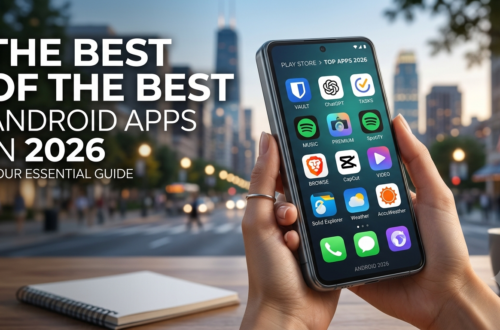
Best Android Apps in 2026: The Ultimate Guide to Free, Paid, and Open-Source Gems
Let’s be honest for a second. We have all been there—scrolling endlessly through the Google Play Store, downloading an app that promises the moon, only to be greeted by a wall of intrusive ads, a nagging subscription pop-up, or a battery drain that leaves your phone gasping for air by lunchtime. It is genuinely frustrating, is it not?
I remember the exact moment I decided to get serious about curating my digital toolbox. It was a rainy Tuesday evening back in 2024. My phone was buzzing like a frantic beehive with notifications from three different “free” applications that were, in reality, just advertising platforms in disguise. My battery was sitting at a depressing 15% by 2 PM, and I felt like I had completely lost control of my own device. That very night, I performed a factory reset. I made a solemn vow to only install software that genuinely added tangible value to my daily routine.
Fast forward to 2026, and I have rigorously tested hundreds of applications. I have sifted through the clutter, endured the frustrating bugs, and celebrated the hidden gems that truly shine. Today, I am thrilled to share the best Android apps in 2026 that have not only survived my brutal cleanup sessions but have actually revolutionized my daily workflow, boosted my security, and made my smartphone feel like a trusted ally. Whether you are looking for the best mobile app 2026 has to offer or just want to declutter your device, this comprehensive guide covers it all.
Top 10 Must-Have Android Apps for Stunning Customization
The very first thing I do when I unbox a shiny new phone is change how it looks and feels. Stock interfaces are fine, but they often feel generic and uninspired. Why settle for the default when you can have a phone that reflects your personality as uniquely as your fingerprint? When curating the top 10 must-have Android apps, customization tools always take the crown.
Nova Launcher Prime: The Gold Standard of Personalization
If there is one application that perfectly defines the pinnacle of the Android experience, it is Nova Launcher Prime. I have installed this powerhouse on every single Android device I have owned since 2018. Honestly, I cannot even fathom using a smartphone without it.
Why do I love it so passionately? Most phones from major brands like Samsung, Xiaomi, or OnePlus come with their own proprietary launchers. They work adequately, sure, but they often lack the fine-grained control that power users crave. Nova allows you to completely transform the icon grid, adjust animation speeds to make navigation feel snappier, hide annoying bloatware apps, and set custom intuitive gestures. For instance, I have a simple swipe-up gesture on my home screen that instantly opens my app drawer. Additionally, I permanently turned off the persistent Google Search bar, effectively freeing up valuable screen real estate.
Step-by-Step Guide to Get Started:
Download Nova Launcher Prime directly from the Google Play Store. You can find it on the official Nova Launcher website to understand its full capabilities.
Press the home button on your device and select Nova as your default launcher.
Long-press on any empty space on your home screen and select “Settings.”
Navigate to “Home Screen” and change the “Grid Size” to 5×6 for a denser layout.
Finally, go to “Gestures & Inputs” and set “Swipe Up” to open the App Drawer for lightning-fast access.
It takes about ten minutes to set up perfectly, but once you do, your phone genuinely feels premium. It is a one-time payment, and it remains one of the top Android customization apps. I often tell my friends who are stuck on iOS: “You simply cannot do this on an iPhone, and that is exactly why Android remains superior.”
Best Paid Android Apps 2026 vs. Free Titans (What’s Worth It?)
A common question I get is whether you actually need to spend money to get a great experience. The truth is, the ecosystem is incredibly balanced. While Nova Launcher Prime falls into the paid category, most of the heavy lifters here are free. However, for power users, the best paid Android apps 2026 offers are often one-time purchases that save you years of frustration. Conversely, if you are frugal, the best android apps in 2026 free versions are more than capable of handling daily demands. Let’s look at security, where the free option wins hands down.
Top 10 Must-Have Android Apps for Ironclad Security
Security is not just a buzzword for tech nerds in hoodies; it is a fundamental necessity for everyone. I learned this lesson the hard way. A few years ago, my primary email was compromised because I foolishly used the same weak password across three different websites. The recovery process was an absolute nightmare that took an entire afternoon. That harrowing experience taught me a lesson I will never forget: you absolutely need a dedicated password manager.
Bitwarden: The Fort Knox of Free Security
Bitwarden is, without a sliver of a doubt, the best free password manager available in 2026. It is completely open-source, which means its underlying code is publicly available for security researchers around the globe to audit continuously. This level of transparency gives me immense peace of mind.
Unlike some competitors that lock essential features behind an expensive paywall, Bitwarden’s generous free tier lets you store unlimited passwords and passkeys. It also offers a robust built-in password generator that creates complex, mathematically unbreakable strings of characters. The seamless autofill works flawlessly across virtually every app and mobile browser.
Step-by-Step Guide to Secure Your Accounts:
Install Bitwarden and create a strong master password. (Make it long, memorable, and unique; this is the only one you will ever need to remember.)
Install the Bitwarden browser extension on your laptop or desktop. Visit the official Bitwarden website to explore its full ecosystem.
Start logging into your existing accounts and let Bitwarden securely save the credentials.
Use the password generator to systematically update old, weak passwords to strong, unique ones.
I currently have over 150 logins saved securely in my vault, and I only consciously know one password. For my readers concerned about data breaches, this is a top-tier Android security app that every smartphone user should install immediately.
Most Useful Android Apps in Daily Life for Peak Productivity
We live in an overwhelmingly busy world. Between demanding work schedules, family obligations, and social commitments, it is incredibly easy to forget important tasks. I used to rely entirely on my biological memory, but that often led to missed deadlines. That is when I finally discovered the transformative power of dedicated productivity applications. These are, without question, the most useful Android apps in daily life.
TickTick: The All-in-One Task Management Powerhouse
I have tried them all: Todoist, Any.do, and even Google Tasks. However, I always find myself returning to TickTick. Why? Because it elegantly combines almost everything you need into a single, clean, and intuitive interface. It has dynamic task lists, a visual calendar view, habit tracking, and a built-in Pomodoro timer for deep focus sessions.
One of my absolute favorite features is the natural language input. Instead of tapping through multiple cumbersome menus, I simply type “Submit quarterly report tomorrow at 5 PM.” TickTick instantly interprets this command and sets the correct reminder without any extra effort. It is incredibly efficient and saves me minutes every day.
How I use it daily:
I meticulously track my writing deadlines using the integrated calendar.
I utilize the Pomodoro timer when working on deep-focus writing tasks.
I set recurring reminders for monthly bills and health check-ups.
Google Keep: The Ultimate Quick Capture Tool
Sometimes, you do not need a complex task manager; you just need to jot down a fleeting idea immediately. That is where Google Keep absolutely shines. I have a dedicated widget on my home screen that lets me type or voice-record a note in mere seconds. When I am driving and a brilliant idea suddenly strikes, I simply tap the microphone icon and speak it aloud. It is simple, fast, and completely free.
Best Android Apps in 2026 Free for Lightning-Fast Transfers
Moving large files between different devices used to be a monumental headache. I used to email files to myself or rely on sluggish cloud uploads. Fortunately, 2026 offers elegant, speed-focused solutions to this age-old problem. The best android apps in 2026 free category shines brightest here.
LocalSend: The Fastest Cross-Platform File Transfer Tool
As a content creator, I constantly move large photos and hefty ZIP files between my Android phone and my Windows laptop. LocalSend has been an absolute game-changer.
It works beautifully over your local Wi-Fi network, which means the transfer speed is limited only by your router. I recently transferred a 2 GB video file in about 30 seconds flat. Compare that to WhatsApp, which heavily compresses the quality, or Google Drive, which requires a tedious upload and download cycle. LocalSend is direct, secure, and blazingly fast. You can explore its open-source philosophy on the official LocalSend website.
Step-by-Step Guide to Transfer a File:
Install LocalSend on both devices (Android, Windows, Mac, or Linux).
Open the app on both devices and ensure they are connected to the same Wi-Fi network.
Select the file on your phone, tap “Send,” and choose your laptop from the detected list.
Accept the incoming file on the receiving device.
URLCheck: Your Safety Net on the Web
We click on links constantly. But have you ever stopped to scrutinize where those links actually lead? URLCheck is a brilliant and severely underrated utility that intercepts every link you tap before it loads. It strips out annoying tracking parameters and performs a quick built-in safety check. I have caught several suspicious redirects in family WhatsApp groups thanks to this vigilant app. It is definitely a best Android utility app for safety.
10 Best Apps in Mobile for Design and Wellness
Your phone can do so much more than just manage tasks; it can actively help you create stunning content and maintain a healthy lifestyle. Let’s explore the 10 best apps in mobile for creativity and self-care.
Canva: Professional Design on the Go
I used to think graphic design required expensive, complex software on a computer. Then I started using Canva on my phone. Whether I am designing captivating Instagram posts or creating a clickable YouTube thumbnail, Canva’s vast library of templates makes the process effortless. The free version includes thousands of professionally designed templates. The background remover tool is incredibly useful for editing product photos. For content creators, this is a top Android design app.
MyFitnessPal: Tracking Your Health Journey
Last year, I noticed I was gradually gaining weight. I downloaded MyFitnessPal to meticulously track my daily calorie intake. Using the convenient barcode scanner, I could simply scan my groceries, and the nutrition information would automatically populate. By staying consistent, I lost 5 kg without resorting to any complicated diet plans. For health-conscious individuals, it remains one of the best Android health apps.
Best Android Apps in 2026 GitHub: Open-Source Powerhouses
One of the most significant trends in 2026 is the shift toward transparent, community-driven software. If you are a privacy advocate, you are probably searching for the best android apps in 2026 GitHub repositories to verify code yourself. Many of the apps on this list are open-source.
Bitwarden, LocalSend, VLC Media Player, and URLCheck all have publicly available source code on GitHub. This means you are not just trusting the developer blindly; the global security community constantly reviews the code for vulnerabilities. For users who prioritize transparency, these open-source tools offer an unparalleled level of trust. They prove that you do not have to sacrifice privacy to get cutting-edge features.
20 Best Android Apps: The Complete Power User Roundup
We have covered the heavy hitters, but to truly build the 20 best Android apps collection, we need to include a few specialized tools for specific, advanced needs:
Brave Browser: If you are exhausted by ads and trackers, this browser blocks them by default. It loads pages significantly faster and extends your battery life.
NotebookLM: Google’s cutting-edge AI tool lets you upload PDFs and ask contextual questions. Students can upload a textbook chapter and generate a pop quiz instantly.
VLC Media Player: The legendary, open-source player that plays every video format imaginable without a single ad.
Habitica: Gamify your daily life. Complete real-world tasks to level up a RPG character—a uniquely fun way to build discipline.
Tasker: For ultimate power users, this automation titan lets you trigger complex actions based on location or time. It is one of the best paid Android apps 2026 has to offer (₹300 one-time), but its capabilities are virtually limitless.
Frequently Asked Questions (FAQ)
1. Are these the best Android apps in 2026 free or paid?
The majority are entirely free. Apps like Nova Launcher Prime and Tasker are one-time paid purchases (around ₹300). However, the best android apps in 2026 free versions of Bitwarden, LocalSend, and TickTick are robust enough for 95% of users.
2. Where can I find the best Android apps in 2026 GitHub source code?
You can find open-source repositories for apps like Bitwarden, LocalSend, VLC, and URLCheck directly on GitHub. Searching for these app names followed by “GitHub” will lead you to their official public repositories where you can review the code.
3. What are the top 10 must-have Android apps for beginners?
For beginners, start with Nova Launcher (customization), Bitwarden (security), TickTick (productivity), LocalSend (file transfer), Google Keep (notes), Brave (browser), VLC (media), Canva (design), MyFitnessPal (health), and URLCheck (safety).
4. Is it worth buying the best paid Android apps 2026?
Yes, if you are a power user. Nova Launcher Prime and Tasker are one-time payments that unlock years of advanced functionality. For casual users, the free alternatives are more than sufficient.
5. Which is the most useful Android app in daily life?
While it depends on your needs, Bitwarden is arguably the most universally useful. It secures all your digital accounts, saves you from password recovery headaches, and works silently in the background every single day.
Final Thoughts on the Best Android Apps in 2026
The profound beauty of Android is the unparalleled freedom it provides. You are not locked into a single, restrictive ecosystem. You can customize your launcher, choose a privacy-focused browser, pick a secure password manager, and automate your entire workflow. The best Android apps in 2026 share a common, user-respecting philosophy: they honor your time, fiercely protect your privacy, and optimize your device’s performance.
If I were to give you one piece of actionable advice, it would be this: start small and be consistent. Download just two or three apps from this list today. For instance, spend 15 minutes importing your passwords into Bitwarden. Take another 10 minutes tweaking Nova Launcher. Once you see how much more efficient, secure, and enjoyable your phone becomes, you will naturally want to explore the rest of these gems.
Do not settle for manufacturer bloatware or ad-ridden applications that exploit your attention. You have a powerful, pocket-sized computer in your hands; it is high time you used it to its full potential. Take control of your digital life today. Choose applications that empower you, not ones that annoy you. Here is to a faster, safer, and significantly more productive smartphone experience in 2026.