![10 Best Automatic Video Editors in 2026 [Free 100% Working]](https://androidautomated.com/wp-content/uploads/2026/07/ChatGPT-Image-Jul-23-2026-11_10_24-PM-150x150.png)
![The Ultimate Guide to Android Automation Hidden Apps 2026 [100 % working Free]](https://androidautomated.com/wp-content/uploads/2026/07/ChatGPT-Image-Jul-23-2026-06_16_04-AM-150x150.png)



The Android Show I/O Edition 2026: What’s Latest for Android
Every spring, tech enthusiasts and everyday smartphone users across the United States turn their attention toward Google’s big reveal. But this year, the spotlight shone brighter than ever. The Android Show I/O Edition 2026: What’s latest for Android delivered a massive wave of announcements that redefine how we interact with our phones, cars, laptops, and smart home devices.
If you thought mobile operating systems had hit a plateau, think again. Between the kickoff of The Android Show 2026 and the main stage keynotes at Google I/O 2026, Google sent a clear message: Android is no longer just a platform for running apps. It has officially transformed into a proactive, intelligent agent designed to take care of life’s tedious tasks for you.
From agentic AI workflows that book tickets across multiple apps to a brand-new laptop ecosystem and a massive overhaul for your car’s dashboard, there is a lot to break down. In this guide, we will unpack all the major Google I/O 2026 announcements, explore the standout features from this Android io Edition, and give you the exact details on rollout schedules—including the official Android auto 2026 release date.
From Operating System to “Intelligence System”
For over fifteen years, Android has been the engine behind millions of smartphones, TV boxes, and smartwatches. Traditionally, major software updates brought incremental improvements: slightly better battery optimization, refined notification shades, or updated design languages like Material You.
This year, however, Google flipped the script. During the presentation, Android executives reframed the entire platform as an “intelligence system”. Instead of opening five different apps to get one single task done, your device now acts as an active assistant operating seamlessly in the background.
This philosophical shift relies on on-device machine learning paired with cloud-based generative AI. Whether you are holding a flagship Google Pixel, a Samsung Galaxy, or sitting behind the wheel of your car, Android is shifting from passive software into a proactive digital companion.
Gemini Intelligence & Android 17: Proactive AI in Action
The crown jewel of this year’s showcase is the deeper integration of Gemini Intelligence directly into the core framework of Android 17. Rather than forcing you to open a dedicated chatbot window, Gemini now weaves through every corner of the operating system.
Multi-Step Agentic Workflows
The biggest leap forward is what Google calls “Agentic Actions”. Instead of simply answering questions, Gemini can now perform multi-step tasks across multiple applications on your behalf.
For example:
Event Planning: Take a photo of a physical flyer for a concert or local festival. Gemini can instantly read the details, check your Google Calendar for conflicts, look up ticket prices on secondary apps, and pre-fill your checkout screen.
Smart Shopping: Snap a picture of a handwritten grocery list or a meal recipe. Gemini will organize the ingredients and automatically build a digital cart in your preferred delivery app.
Automated Form Filling: Opt-in AI features allow your phone to assist with tedious online registrations, pulling context securely from past receipts or documents stored on your device.
Custom “Vibe-Coded” Widgets
Ever wished you had a custom widget on your home screen that didn’t exist in the Play Store? With the new Create My Widget feature, you can literally talk your home screen into existence using natural language.
Simply long-press your screen and type or say a prompt like: “Build me a widget that suggests three high-protein dinner recipes every Sunday night and updates with local grocery store sales.” Within seconds, Android generates a functional, live dashboard widget tailored strictly to your prompt.
Interface Polish: Rambler and Android Halo
Typing or dictating on the go can often produce messy, unpunctuated voice-to-text notes. Android 17 fixes this with Rambler, a real-time dictation engine that automatically cleans up filler words, structures fragmented sentences, and formats your spoken thoughts into clean emails or text messages.
Visually, Google introduced Android Halo, a subtle, glowing visual indicator located in the top-left status bar. Whenever an AI agent is performing a background task or analyzing contextual information, Halo pulses gently to keep you informed without interrupting your screen.
Hardware Evolution: Unveiling the Googlebook
One of the most unexpected highlights from the event was a completely new hardware category: the Googlebook. Designed specifically to bridge the gap between Android smartphones and desktop computing, Googlebooks represent a major leap beyond traditional Chromebooks.
The Googlebook Snapshot:
Core Focus: Built ground-up for Gemini Intelligence and deep Android phone synchronization.
Hardware Signature: A sleek “Glowbar” badge that lights up during active processing.
Smart Controls: “Magic Pointer” cursor for instant AI contextual shortcuts.
Partner Brands: Acer, ASUS, Dell, HP, and Lenovo.
Built from the ground up for generative AI workloads, Googlebooks run on a lightweight, performance-tuned OS that natively mirrors your Android phone apps, notification shade, and shared clipboards in real-time.
Key Googlebook highlights include:
The Glowbar: A physical LED light strip built into the laptop chassis that visually signals background Gemini processing or incoming cross-device alerts.
Magic Pointer: A contextual cursor feature that lets you highlight any text, image, or video anywhere on your screen to trigger instant summaries, translations, or creative edits.
Seamless App Mirroring: Open any mobile Android app directly on your laptop screen with zero lag or extra installation steps.
Google announced that the first wave of Googlebooks will land on store shelves this fall from leading hardware partners.
The Android Auto Overhaul & Release Timelines
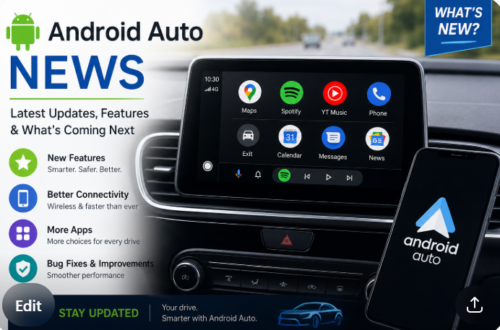
For commuters and road-trippers across the country, the updates coming to vehicle infotainment systems were among the most anticipated reveals. Android Auto is receiving its largest design refresh in years, adopting the brand-new Material 3 Expressive design framework.
What’s New in Android Auto?
Dynamic Edge-to-Edge Maps: Navigation maps now stretch fluidly across non-standard display shapes, providing clear, immersive turn-by-turn guidance.
Dashboard Widgets: Drivers can now pin customizable widgets—such as live home security feeds, weather radars, or media shortcuts—directly onto their primary driving screen.
In-Car Entertainment Updates: Supported vehicles from automakers like BMW, Ford, Genesis, Hyundai, Kia, Mercedes-Benz, and Volvo will gain 60fps Full HD video playback capabilities for parked charging sessions or rest stops.
Hands-Free In-Car Ordering: Integrated voice actions now allow drivers to order takeout via apps like DoorDash completely hands-free while navigating to their destination.
The Android Auto 2026 Release Date Schedule
When can you expect these updates in your vehicle? The rollout follows a phased timeline:
| Release Phase | Date / Window | Key Features & Details |
| Beta Preview | May 2026 | Developer and public preview access introduced alongside Google I/O. |
| Stable OS Build 17.1 | June 18, 2026 | System infrastructure update released via Google Play services. |
| Broad Consumer Rollout | Summer – Fall 2026 | Over-the-air (OTA) updates rolling out across supported car head units and automotive partners. |
If you own a phone running Android 9 or higher, the updated Android Auto experience will begin appearing automatically as app updates roll out through late summer 2026.
Enhanced Security, Creator Tools & Digital Wellbeing
Beyond AI and car displays, Google is doubling down on security features aimed at protecting everyday users from modern phone scams and privacy threats.
Anti-Fraud & Call Spoofing Protection
Financial scams involving spoofed caller IDs have surged in recent years. Android 17 introduces Verified Financial Calls. When a caller claims to represent your bank or financial institution, Android automatically cross-references the incoming signal with verified banking registries. If the call cannot be authenticated, the phone alerts you or terminates the call before sensitive data is compromised.
Furthermore, Live Threat Detection now monitors app behavior in real-time, instantly catching malicious software that attempts to hide app icons or abuse accessibility permissions after installation.
Creator Tools: Screen Reactions
For content creators, Pixel and select Android flagship devices are gaining built-in Screen Reactions. This feature lets you record your camera feed inside a floating bubble while recording whatever is playing on your screen—eliminating the need for third-party green-screen tools or complex video editing software.
Digital Wellbeing: Pause Point
To help users build healthier relationships with their screens, Google introduced Pause Point. When you attempt to open a distracting social media app, Pause Point provides a 10-second gentle pause. During this window, you can take a brief breathing exercise, set a session timer, or redirect yourself to an alternative app like an audiobook or educational reader.
The Android Show I/O Edition 2026: What’s Latest for Android Summary Table
To help you digest all the major announcements at a glance, here is a breakdown of the headline features revealed during the showcase and when you can expect them:
| Feature / Upgrade | Primary Benefit | Expected Availability |
| Gemini Intelligence Agents | Multi-step cross-app automation (shopping, event booking) | Summer 2026 (Pixel 10 & Galaxy S26 first) |
| Create My Widget | Natural language custom widget generation on your home screen | Summer 2026 rollout |
| Googlebook Laptops | Hardware category built specifically around AI & Android sync | Fall 2026 |
| Android Auto Refresh | Edge-to-edge UI, dash widgets, 60fps video, hands-free ordering | June 2026 (Build 17.1) through Fall 2026 |
| Verified Financial Calls | Automatic protection against bank spoofing calls | Rolling out with Android 17 |
| Extended AirDrop Interop | Cross-platform Quick Share with iOS across major Android brands | Throughout late 2026 |
Conclusion
Looking back at all the revelations from The Android Show I/O Edition 2026: What’s latest for Android, it is clear that mobile technology has entered an exciting new chapter. Google is no longer simply competing on camera specs or screen refresh rates; they are rebuilding software to save you time, protect your privacy, and seamlessly unify your digital devices.
Whether you are excited to let Gemini organize your daily errands, eager to try out the new Googlebook laptop lineup, or looking forward to the refreshed driving interface following the Android auto 2026 release date, there has never been a more dynamic time to be an Android user. Keep your phone updated, stay tuned to upcoming over-the-air patches, and get ready to experience a significantly smarter smartphone experience this year!